n8n
Follow these steps to add Ahrefs MCP to n8n:
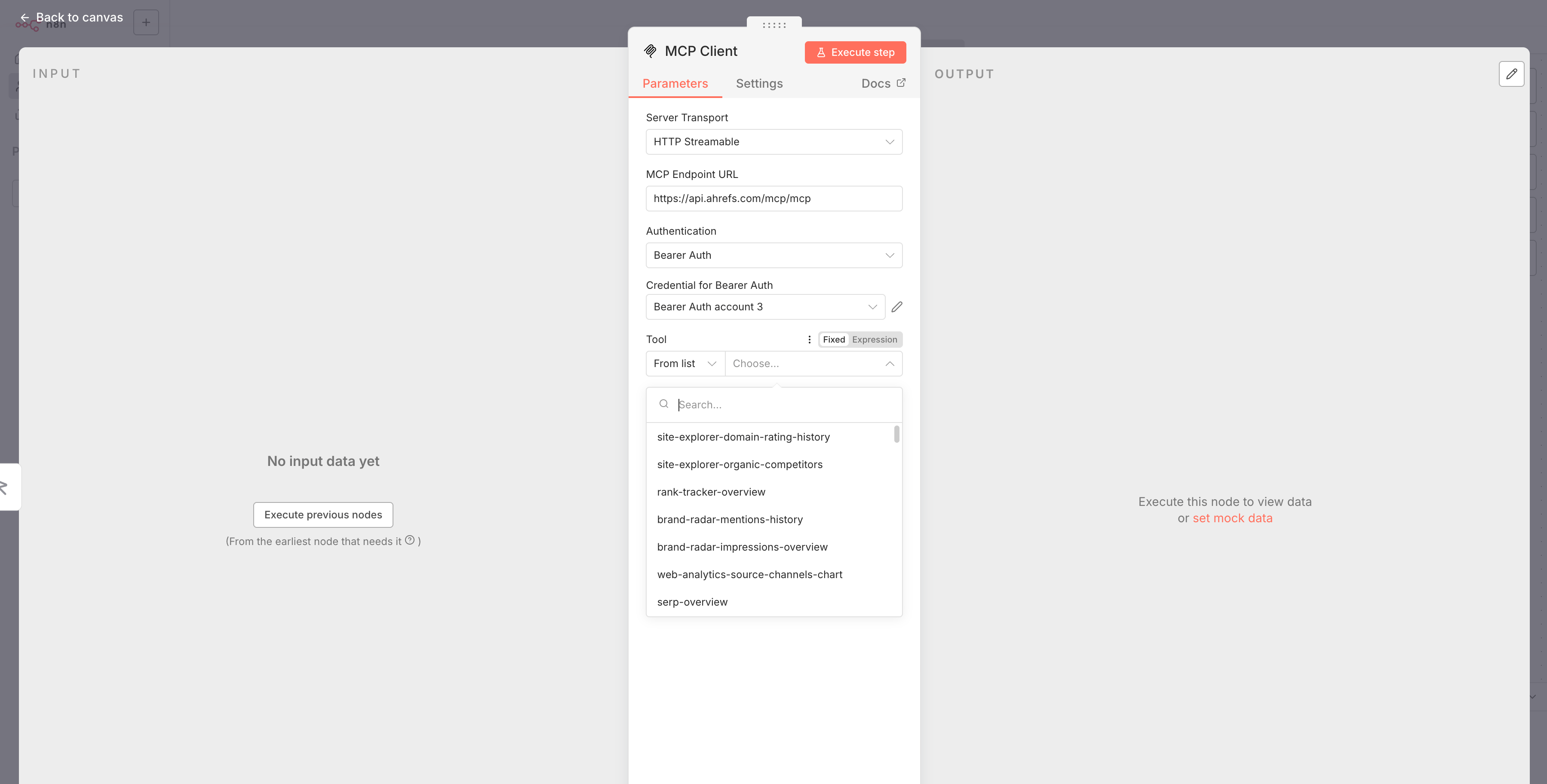
- Add a new node and search for "MCP client".
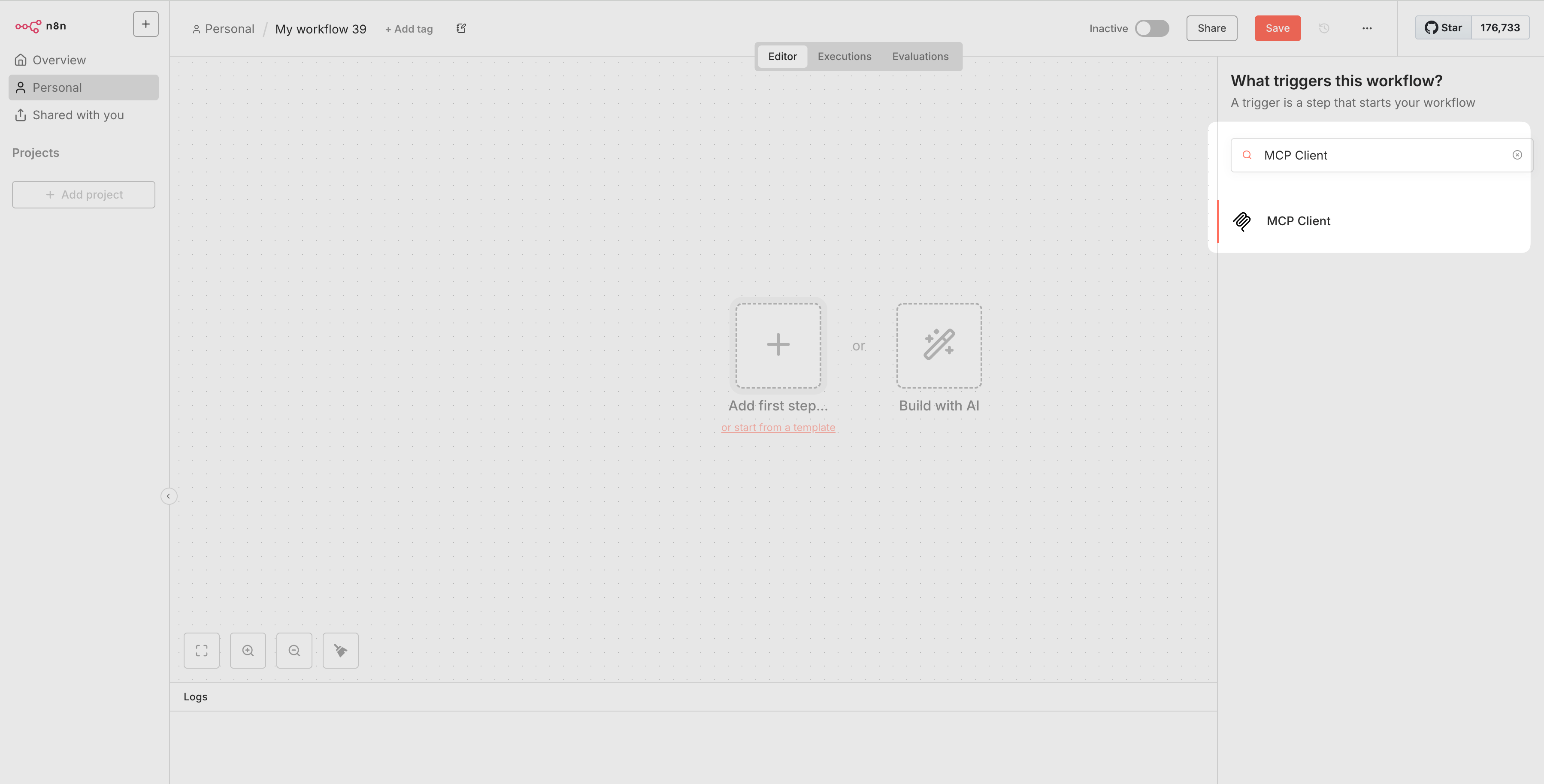
- Fill in the node details:
- Server transport: HTTP Streamable
- MCP Endpoint URL:
https://api.ahrefs.com/mcp/mcp - Authentication: Bearer Auth
- Credentials for Bearer Auth: Click "Create new credentials"
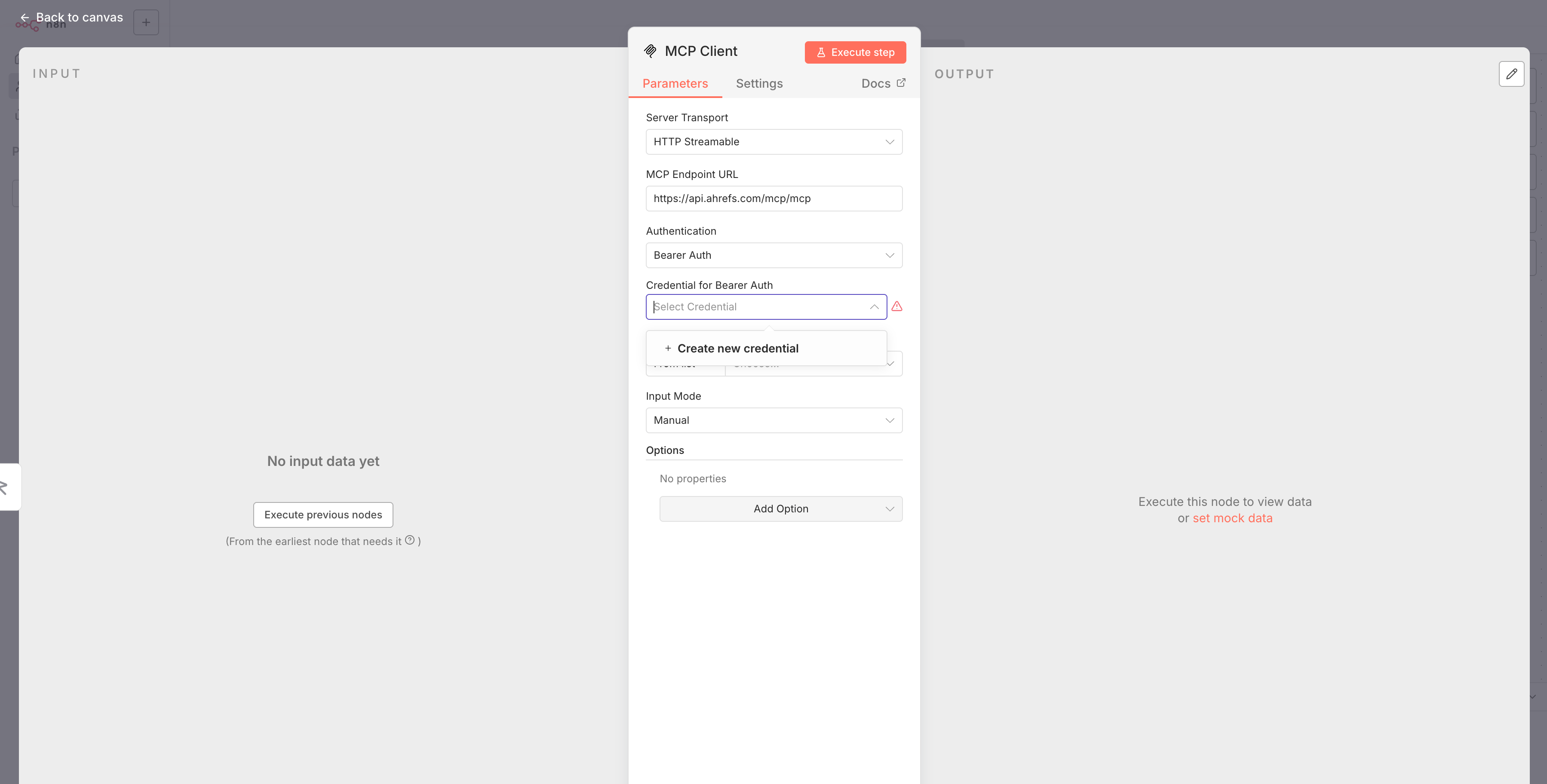
- Open the API keys report in your Ahrefs account settings and generate and copy an MCP key.
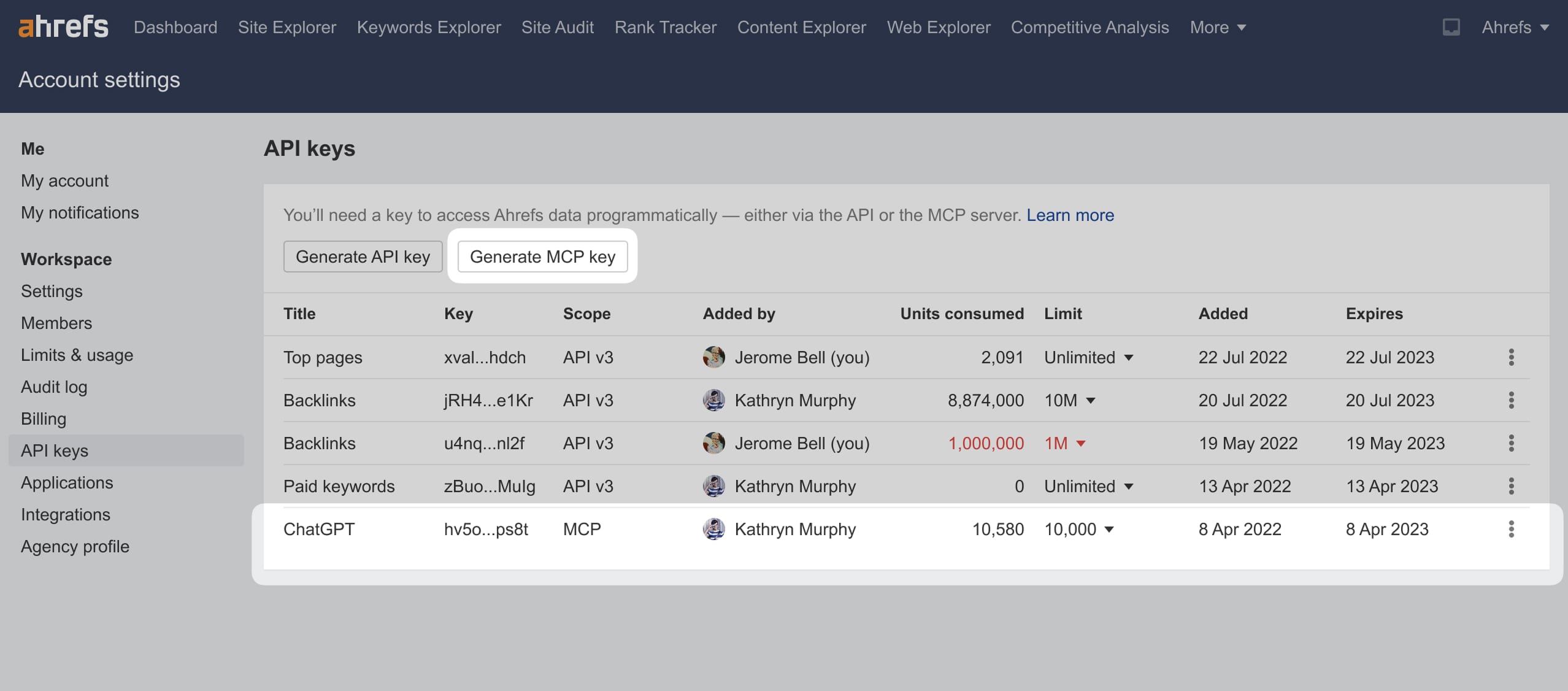
- Paste the key in the credentials settings in n8n.
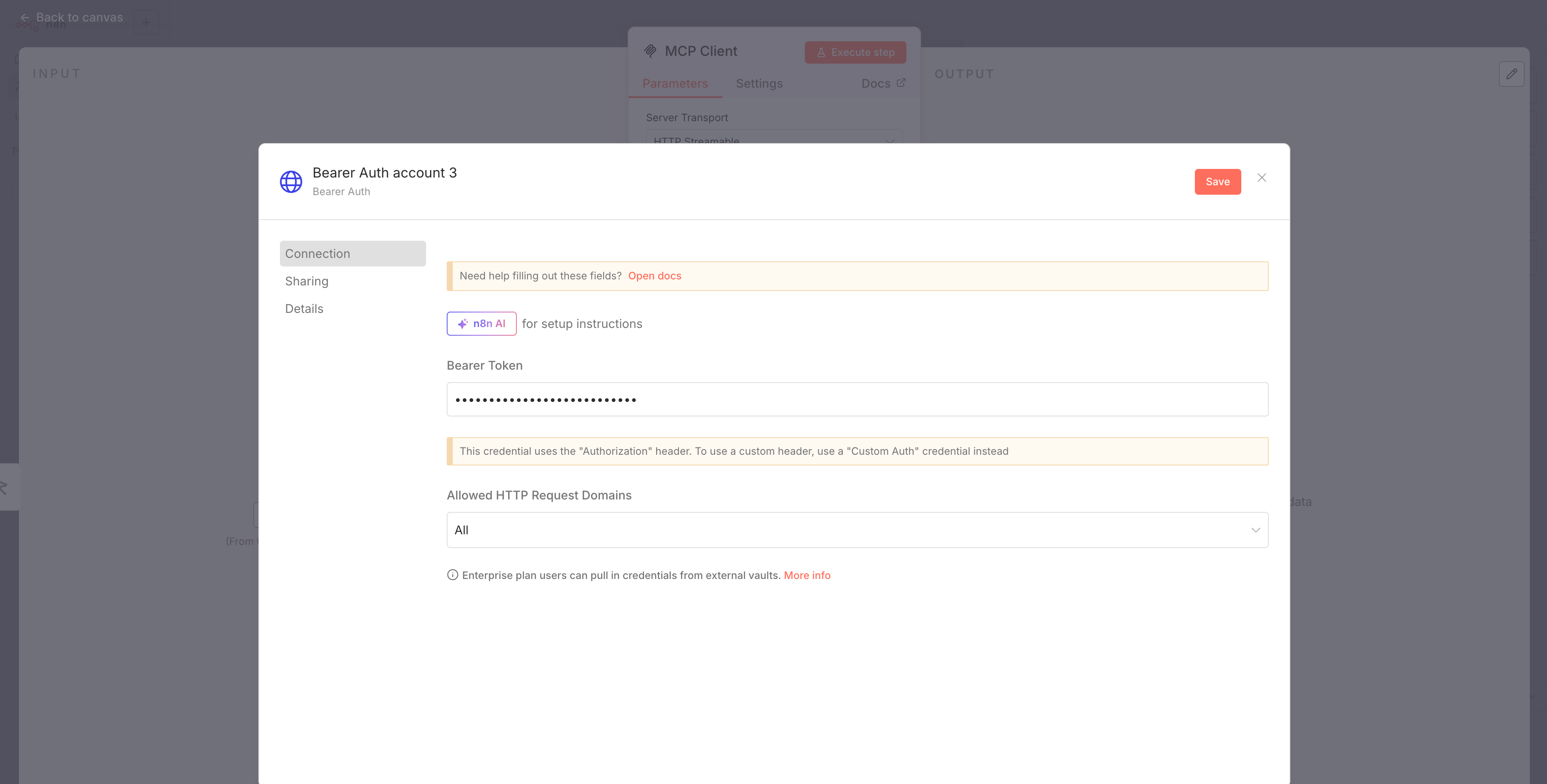
- After saving the credentials, you will return to the node settings. Refresh the list of tools, select the tool you need, and proceed with configuring its fields. You can refer to the Ahrefs API documentation for guidance.