Introduction
With Ahrefs API, you can use data from your Ahrefs workspace to create custom integrations and automations. Currently, API v3 allows you to pull data from the Site Explorer, Keywords Explorer, SERP Overview, Rank Tracker, Site Audit, Brand Radar, Social Media Management and Content Helper endpoints, as well as manage your Rank Tracker projects and Keywords Explorer lists:
- Site Explorer: Overview stats and historical charts, Backlinks, Organic and paid traffic reports
- Keywords Explorer: Metrics for a single keyword or a list of keywords, Search volume history and volume by country, Keyword ideas reports
- Site Audit: Projects' Health Scores, full issue reports and content of crawled pages
- SERP Overview: Top 100 SERP results
- Rank Tracker: Project overview, Competitor reports and Rank Tracker SERPs
- Batch Analysis: Metrics for up to 100 targets per request
- Brand Radar: Brand overview stats, historical performance charts, and real prompts with citations across multiple AI agents
- Social Media Management: Channels, posts, activity history and metrics for connected social media accounts
- Content Helper: The core topics covered by the pages ranking for a keyword, with per-page coverage scores
- Management: Endpoints to manage your Rank Tracker projects and Keywords Explorer lists
- Subscription information: Your API limits and usage
- Public endpoints: Our crawler's IP addresses and ranges
Eligibility
Ahrefs API is available on eligible paid plans. On all other plans, you'll still have access to a limited set of free test queries.
Plan limits
All requests besides free test queries and the Rank Tracker, Management, Public and some other endpoints consume API units. The cost depends on the number of rows in a response and the fields requested. The minimum cost for any request is 50 units. If an endpoint is free, you'll see a note about that on its documentation page; otherwise, it consumes units.
Related guide: Limits consumption
info
Please be advised that API units once consumed are non-refundable. We strongly encourage the use of our complimentary test queries for all development and testing purposes to mitigate any unintended usage of API units.
We also recommend putting limits on your API keys, especially when you are in the testing and development stage.
Eligible paid plans include a monthly API unit allowance. On plans that support pay-as-you-go usage, additional units are automatically charged once the included limit is exceeded.
See also: Pricing page and Account settings / Limits & usage.
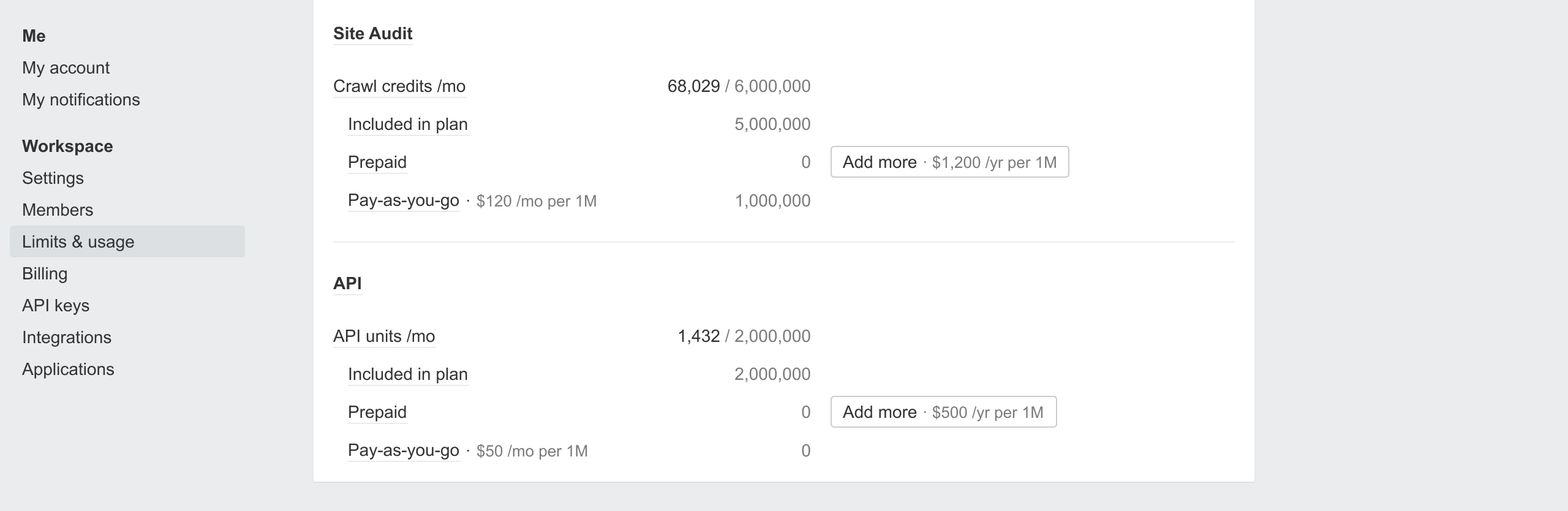
API keys
To send requests to Ahrefs API, you'll need an API key. Only workspace owners and admins can create and manage API keys. This can be done in Account settings / API keys.
Related guide: API keys creation and management
Basic usage
Get a quick start with these API buttons in Ahrefs reports. Click on them to display the request as a cURL command.
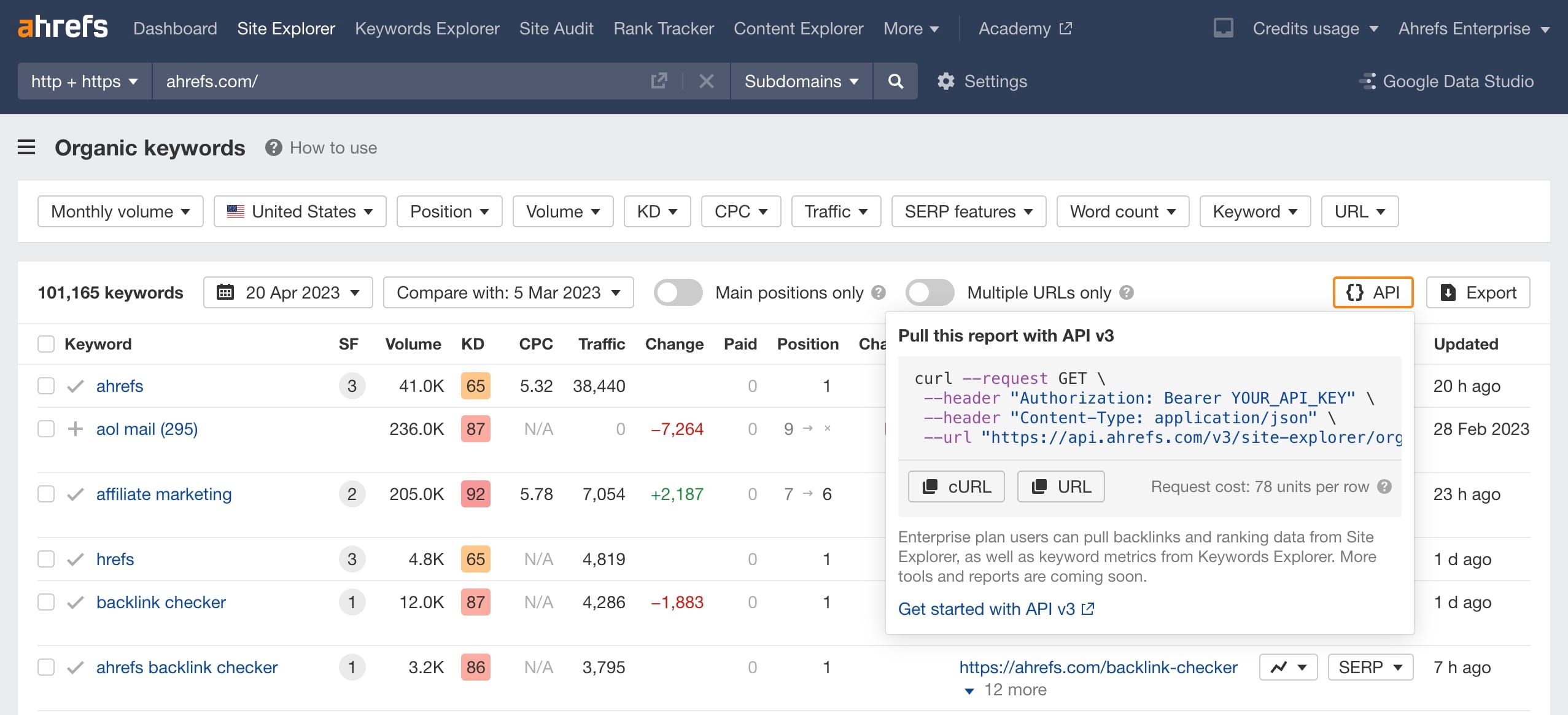
These buttons can be used as a query builder since the cURL command will be updated dynamically with any filters you apply to the report.
Note that cURL contains all the fields and metrics shown in the current report. You can remove the fields you don't need to reduce the cost of a request.
For full usage details, view our API reference in these docs. The reference contains an OpenAPI-compatible specification of each endpoint's request and response format.
Rate limiting
Ahrefs API is limited to 60 requests per minute by default. If this limit is exceeded, the API will respond with an HTTP 429 status code (Too Many Requests).
Additionally, to maintain optimal performance and system stability, API requests may occasionally be rejected with the same HTTP 429 status code due to throttling. Throttling occurs dynamically based on real-time system load, resource availability, and the computational demands of your requests.