Manus
Follow these steps to add Ahrefs MCP to Manus:
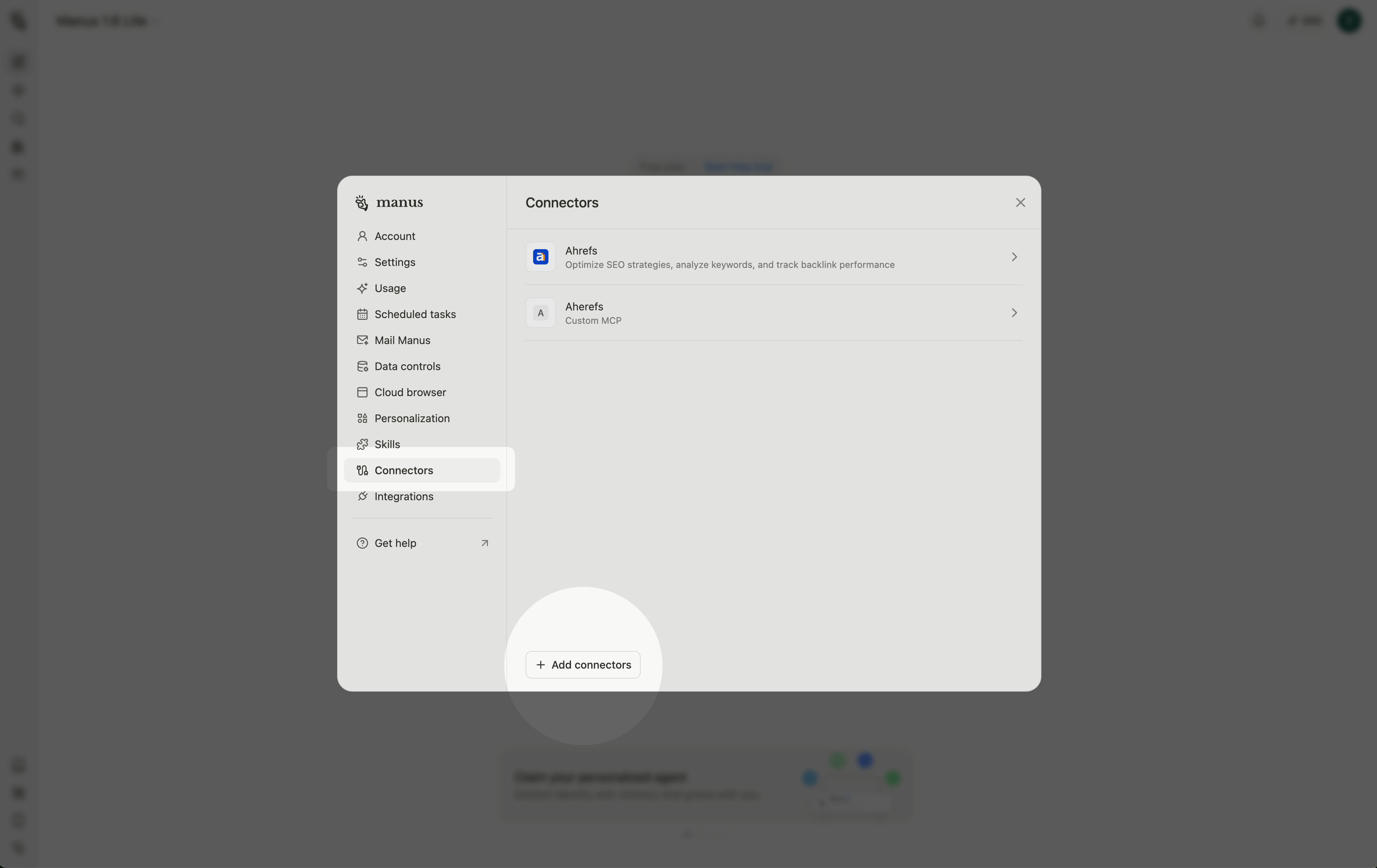
- Open Settings, select "Connectors" and click "Add connectors".
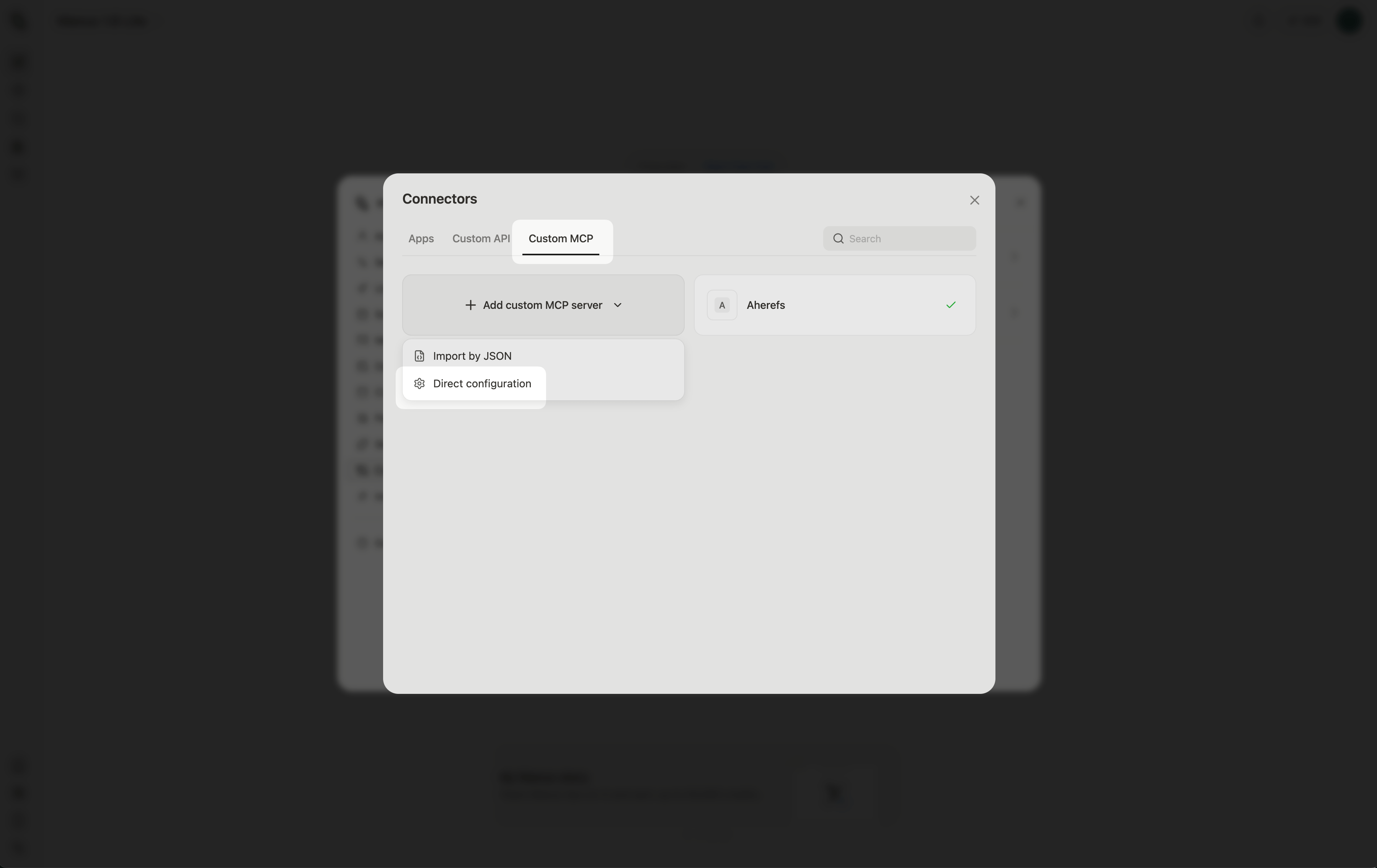
- Select the "Custom MCP" tab, click on "Add custom MCP server" and choose "Direct configuration".
- Fill in the node details:
- Transport type: HTTP
- Server URL:
https://api.ahrefs.com/mcp/mcp - Custom header:
Authorization - Header value:
Bearer MCP_TOKEN(whereMCP_TOKENis an actual token you generate in API keys report in your Ahrefs account settings)
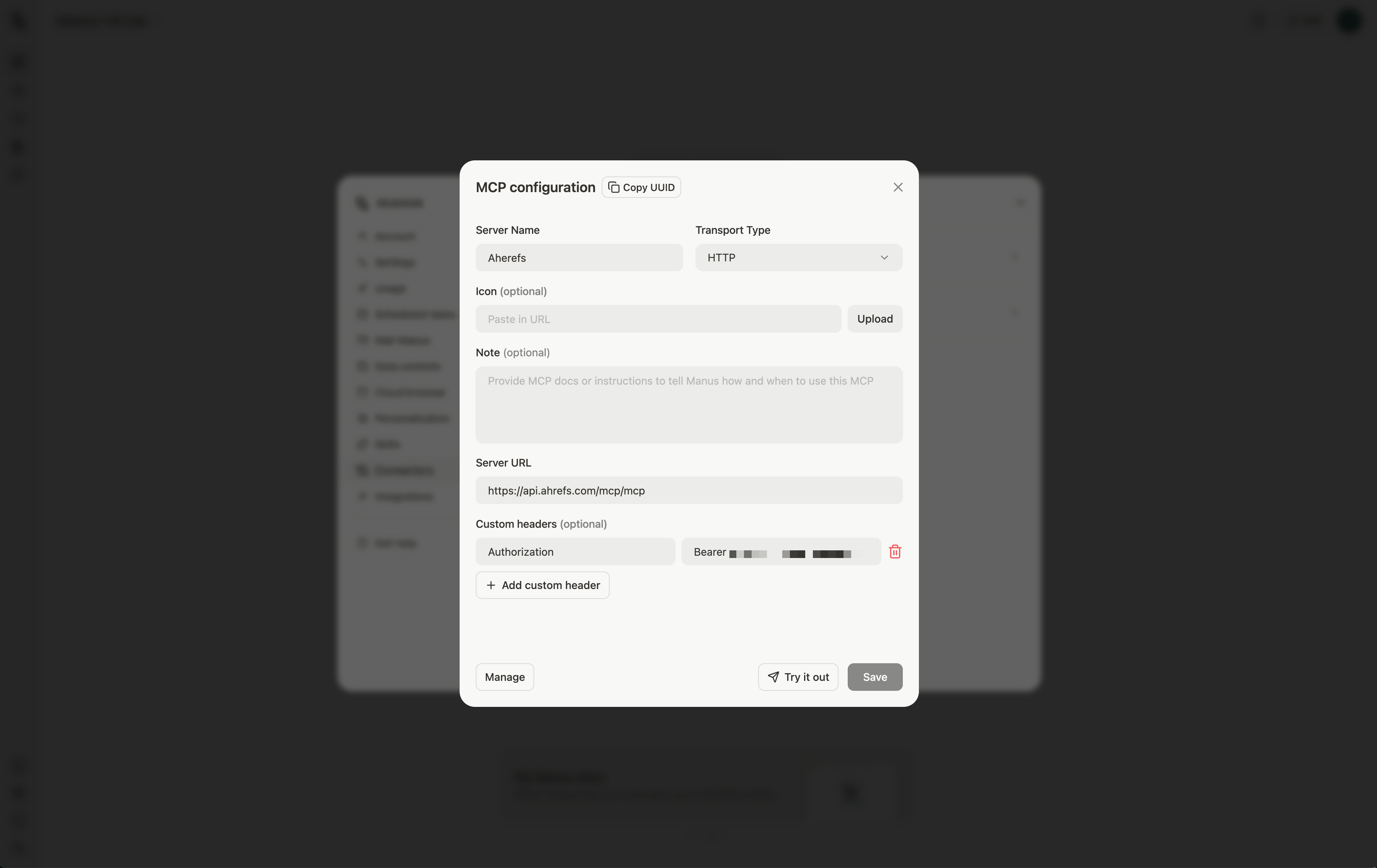
Click on "Try it out" to test the Ahrefs connector in a new chat.