Copilot Studio
Follow these steps to add Ahrefs MCP server to Copilot Studio:
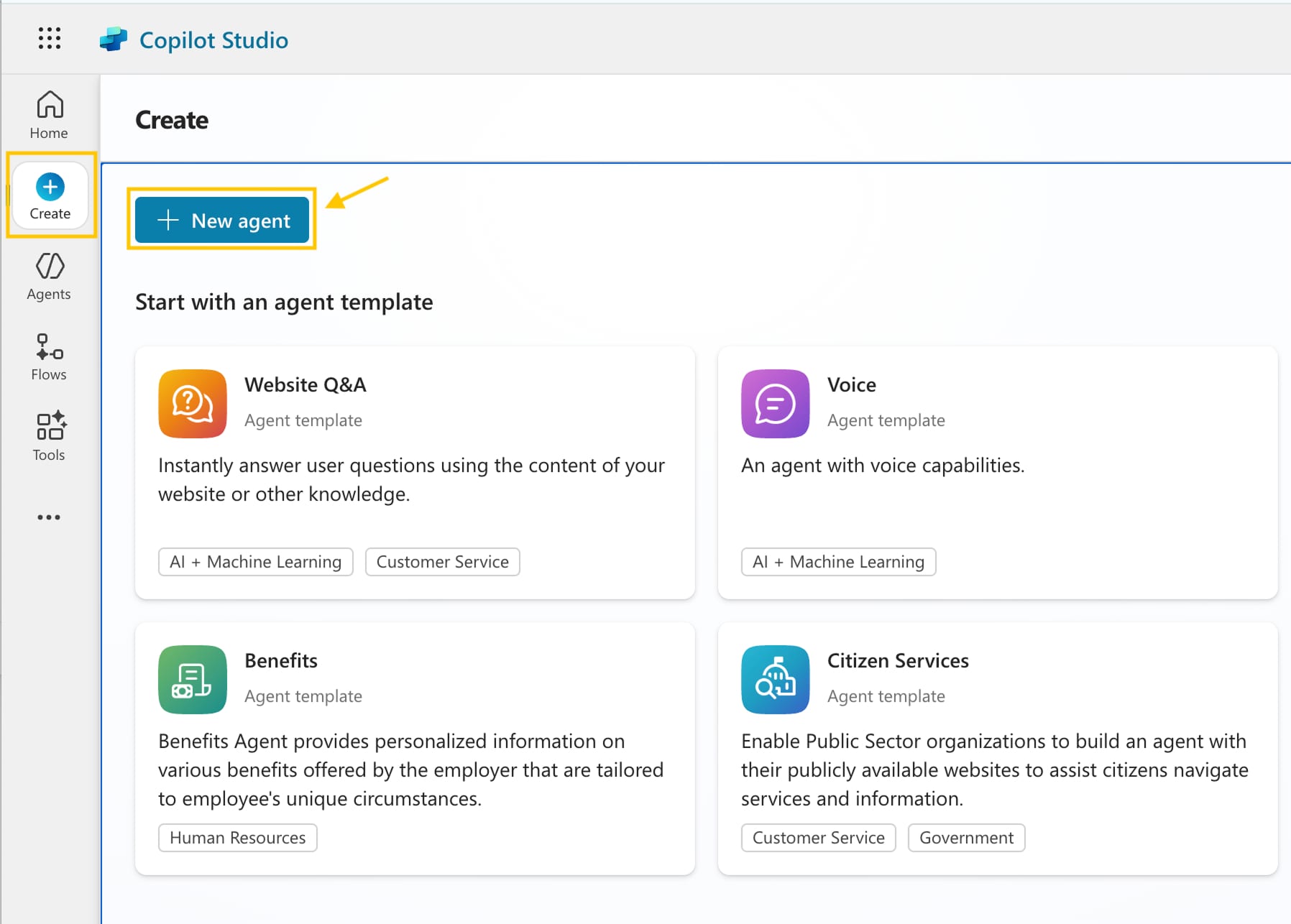
- On the left-hand menu, click "Create" and then "New agent".
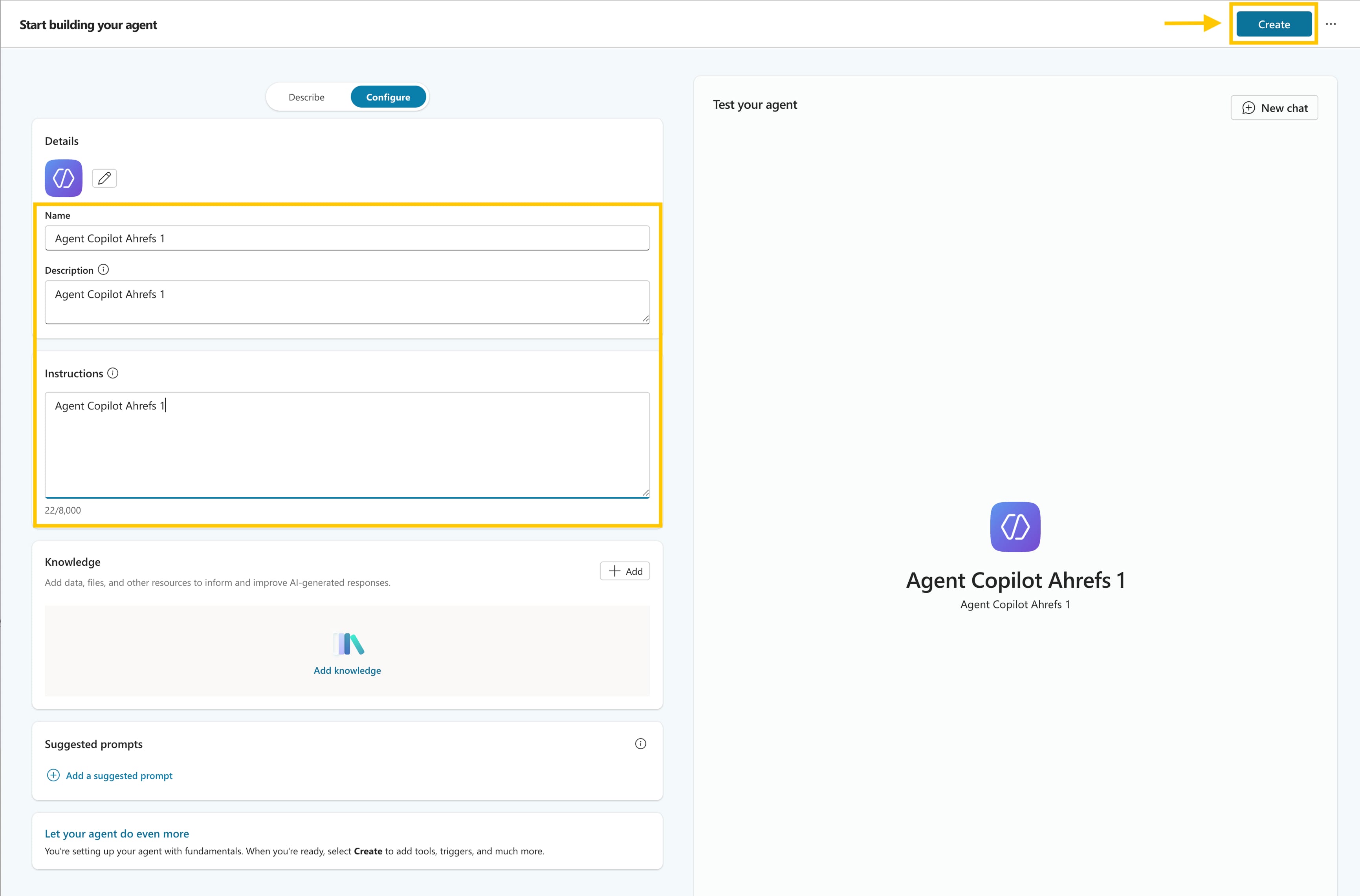
- Enter the agent details: Name, Description and Instructions and click "Create".
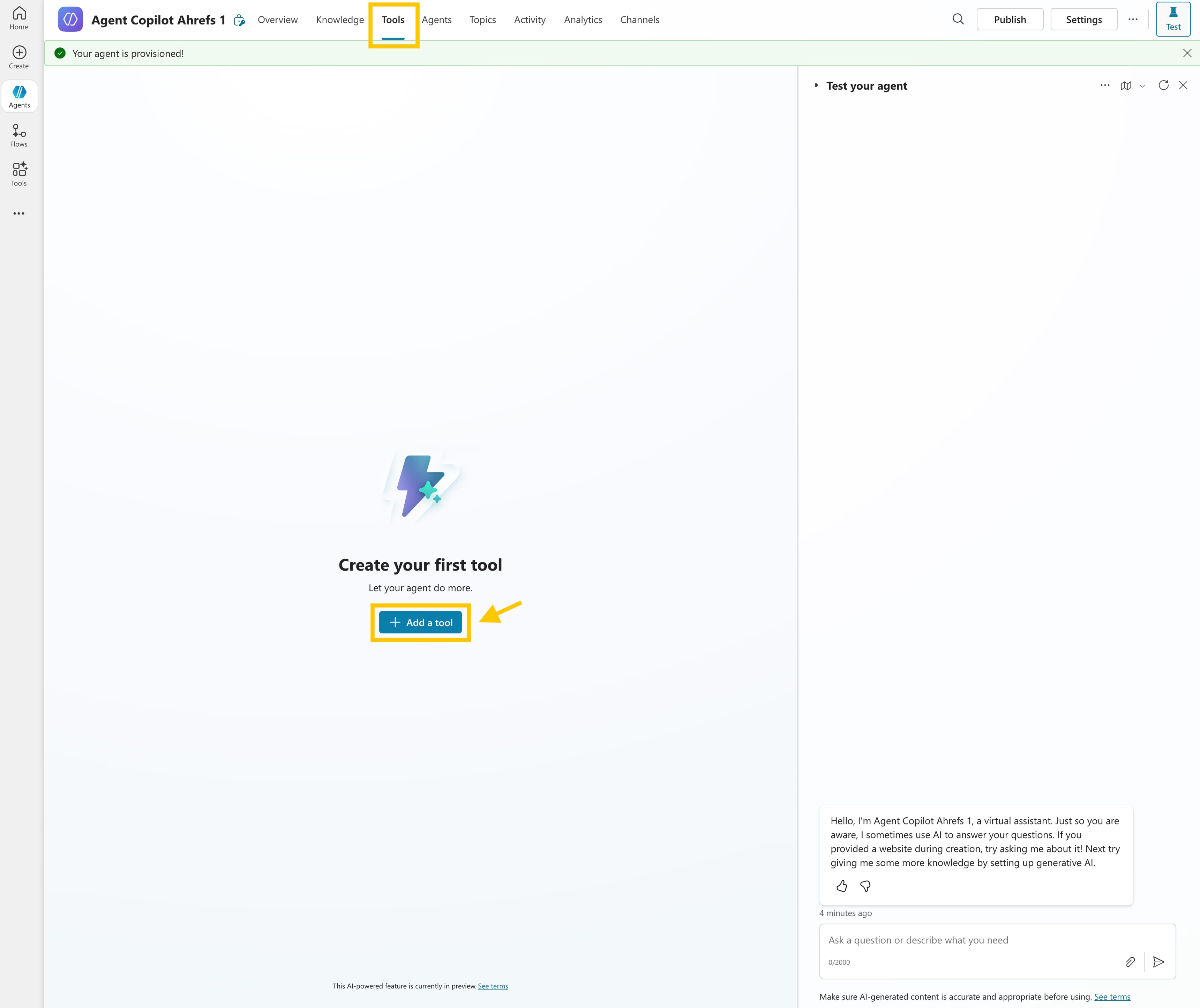
- Under "Tools", click "Add a tool" to attach a connector or custom action.
- Choose "Model Context Protocol" and click "New tool".
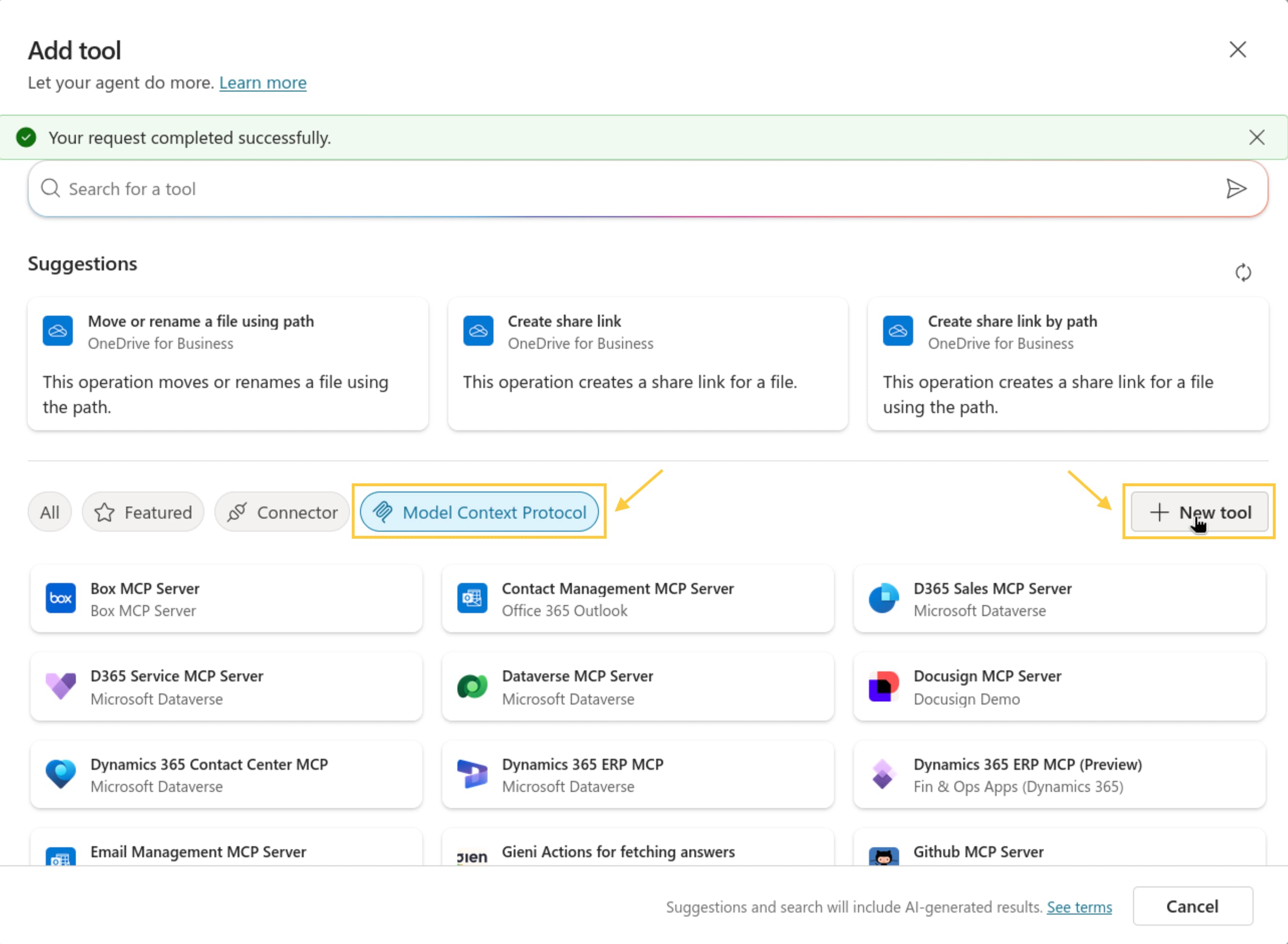
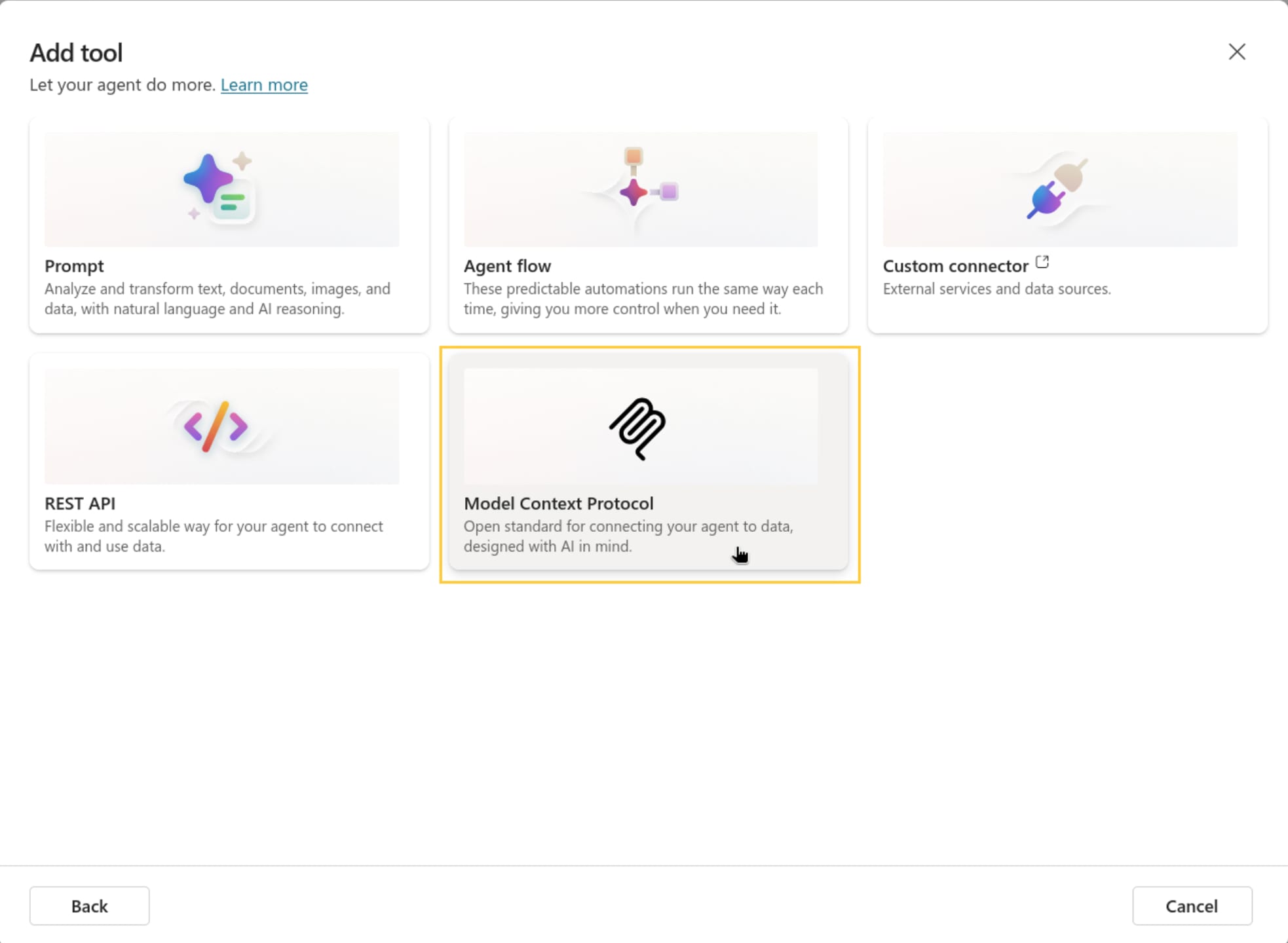
- Choose "Model Context Protocol"
- Fill in the required information and click "Create"
- Server URL:
https://api.ahrefs.com/mcp/mcp - Authentication: "API Key"
- Type: Header
- Header name:
Authorization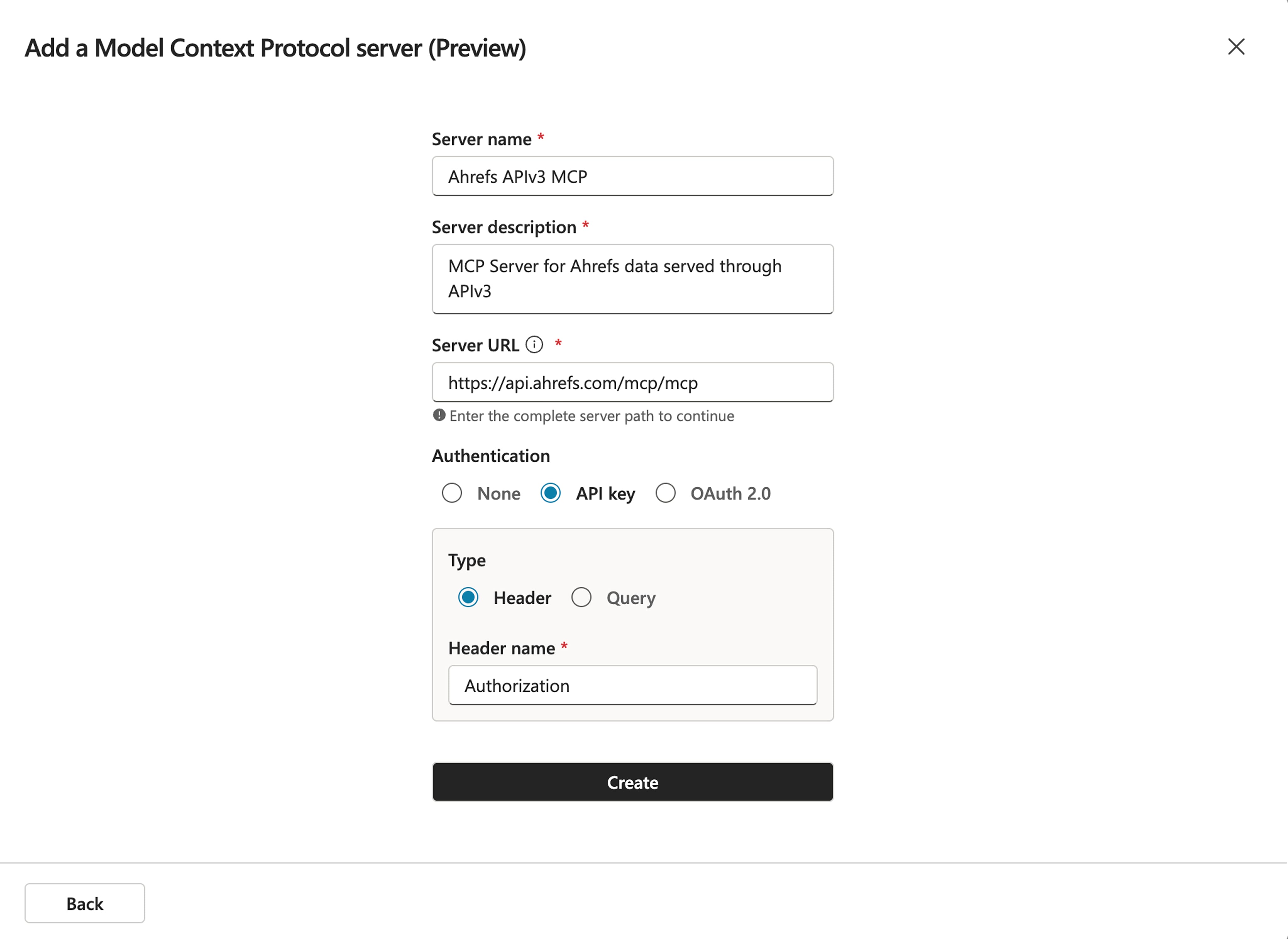
- Server URL:
- Create a new connection
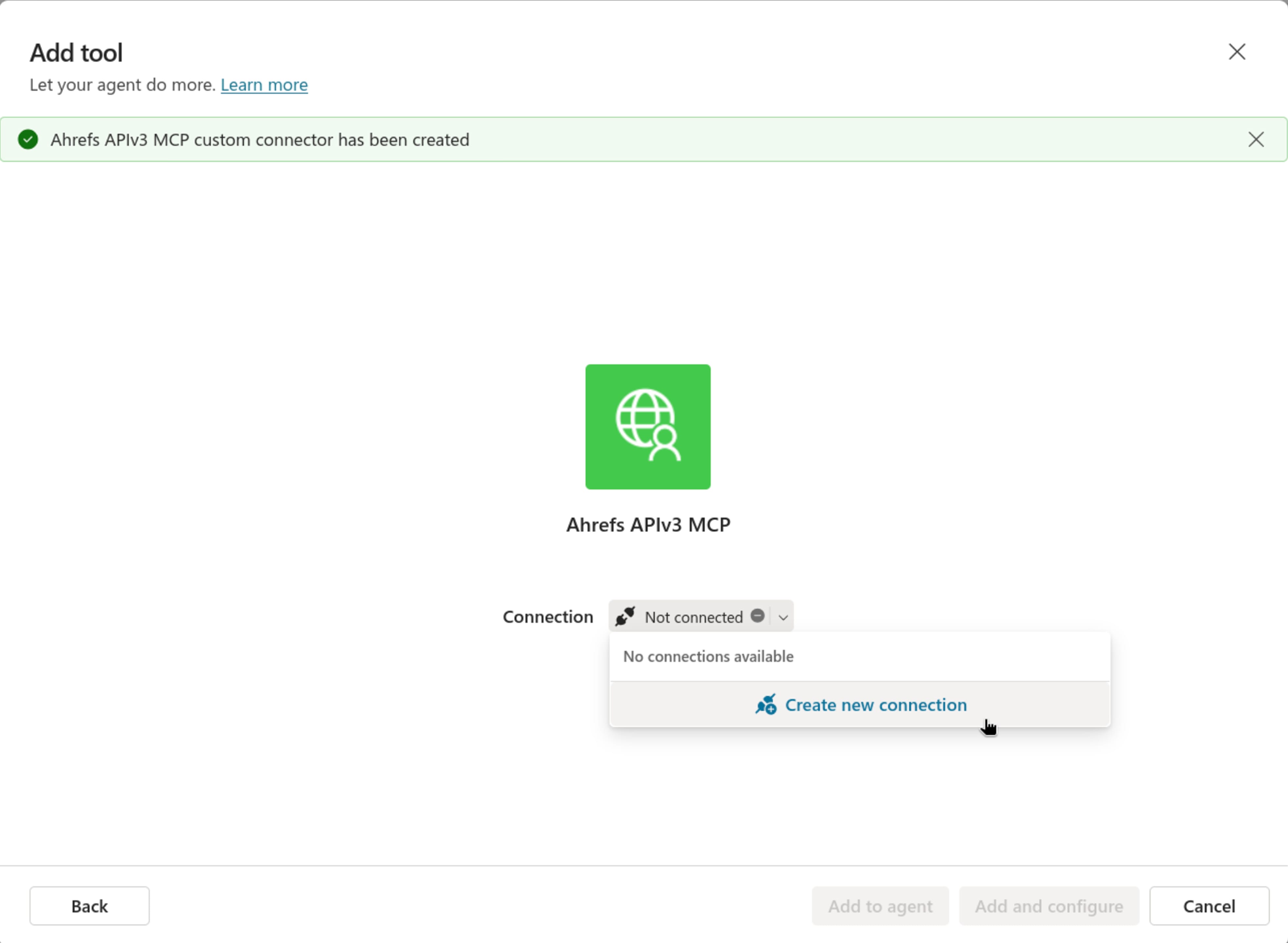
- Go to Ahrefs workspace → Account Settings → API Keys and click "Generate MCP key" to create a new key.
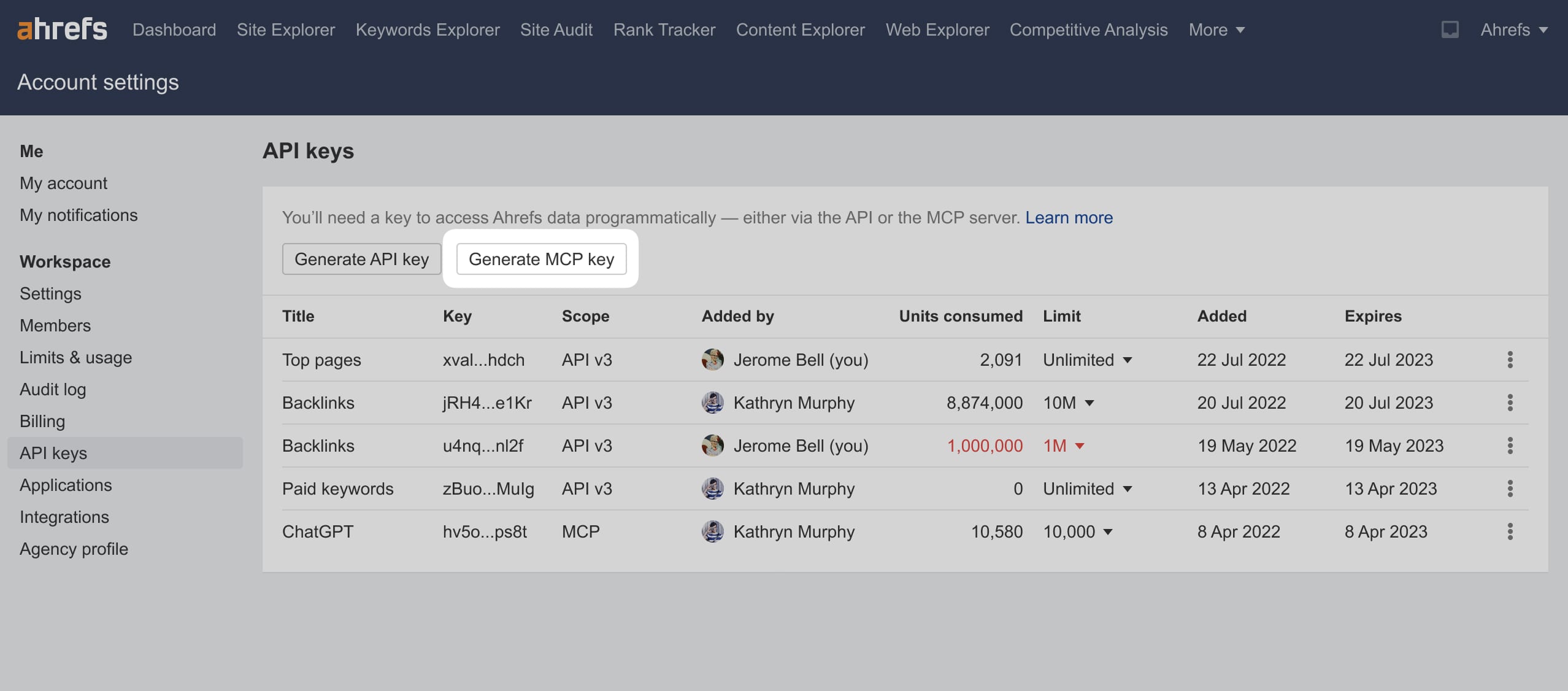
- Paste the key into Copilot, making sure to add the
Bearerprefix:Bearer YOUR_API_KEY.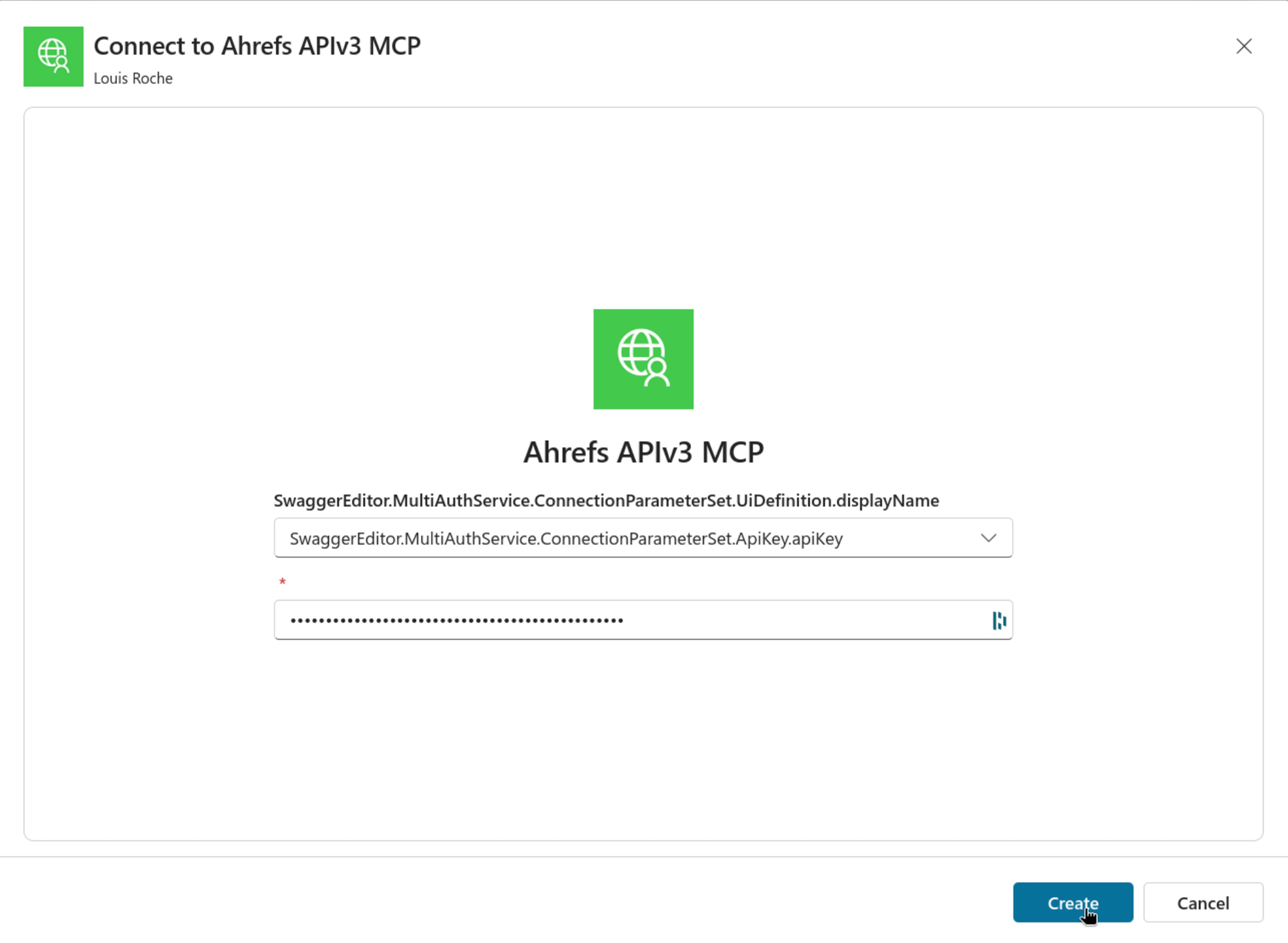
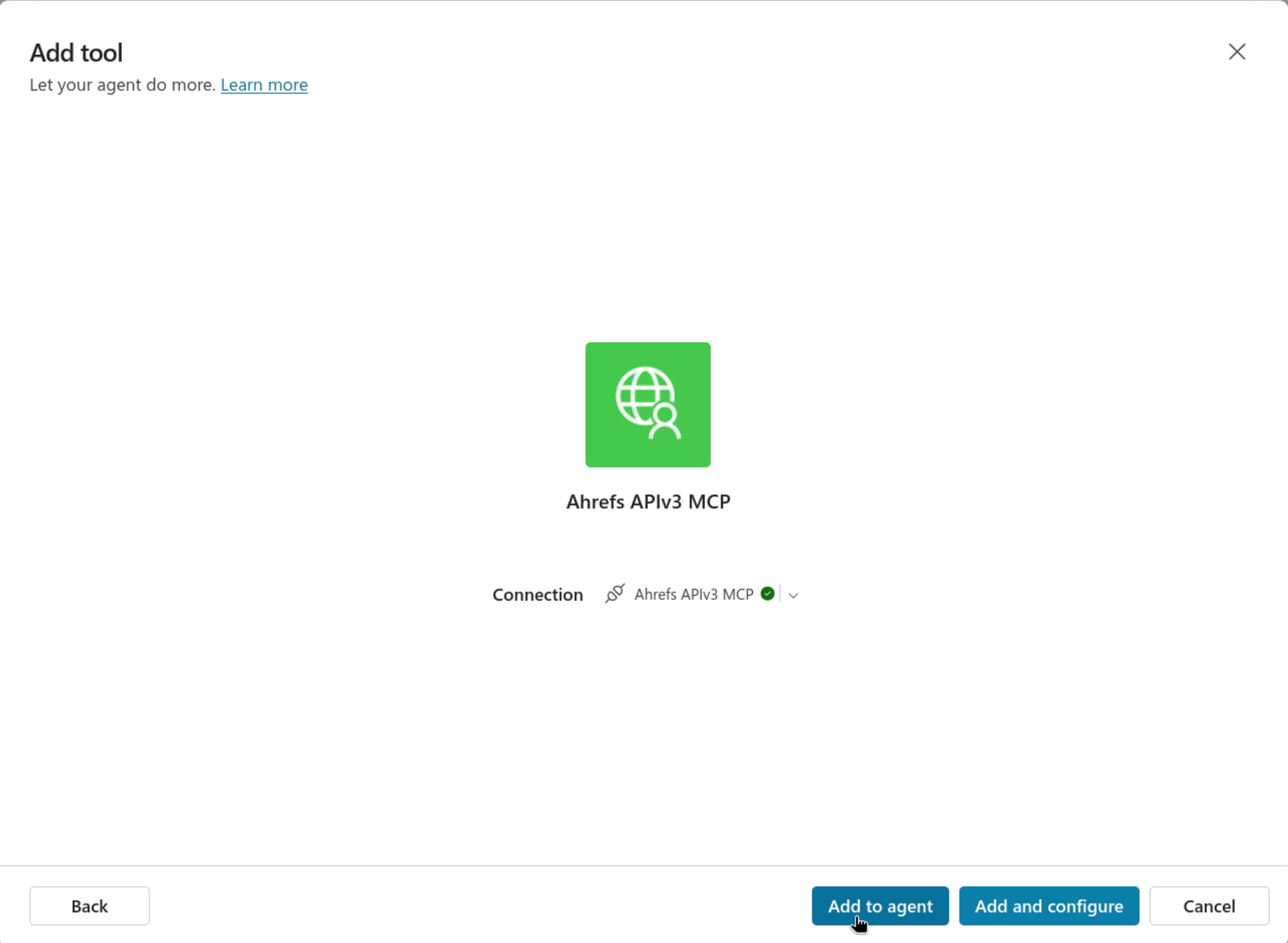
- Add the tool to your agent.