ChatGPT Web
Note on ChatGPT support
info
Full support for MCP client access is currently in beta in ChatGPT. At the moment, it's only available in Developer mode for Pro and Plus accounts on the web.
While it's in beta, we recommend being as explicit and precise as possible in your prompts. For example:
- Mention the Ahrefs MCP directly.
- Specify the tool or endpoint to use.
- Indicate which fields to pull and how to sort the results.
- Excplicitly ask ChatGPT not to use the web search.
Better results often come from structured prompts like this:
"Using the Ahrefs MCP connector and the keywords-explorer-matching-terms action, pull the top 10 keywords related to "marketing" in Brazil, sorted by search volume."
instead of a vague prompt like:
"What are the top keywords related to marketing in Brazil?"
For the latest details, see the official ChatGPT Developer Mode docs
Setup guide
Follow these steps to add Ahrefs MCP server to ChatGPT Web:
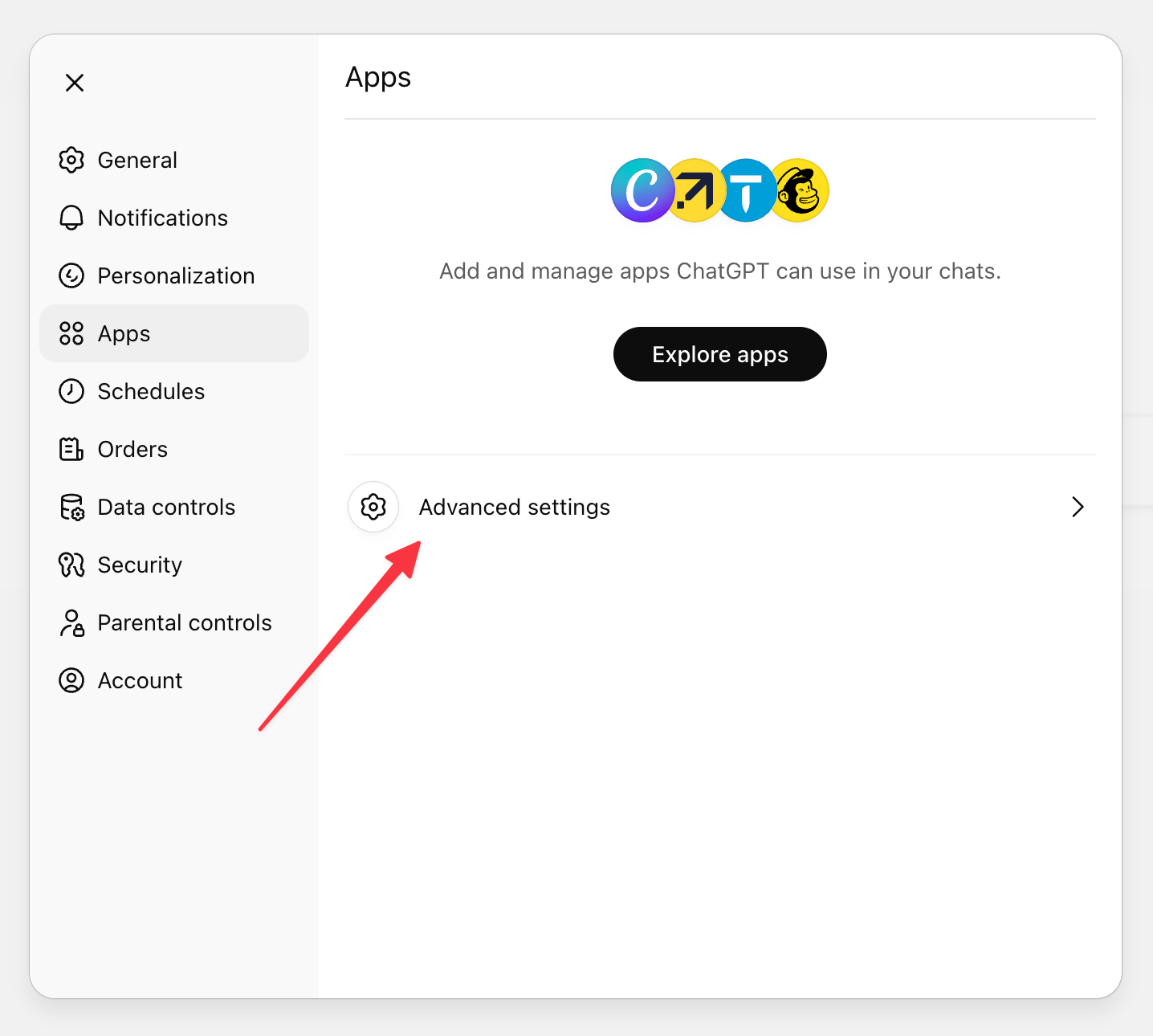
- Go to Settings > Apps > Advanced settings
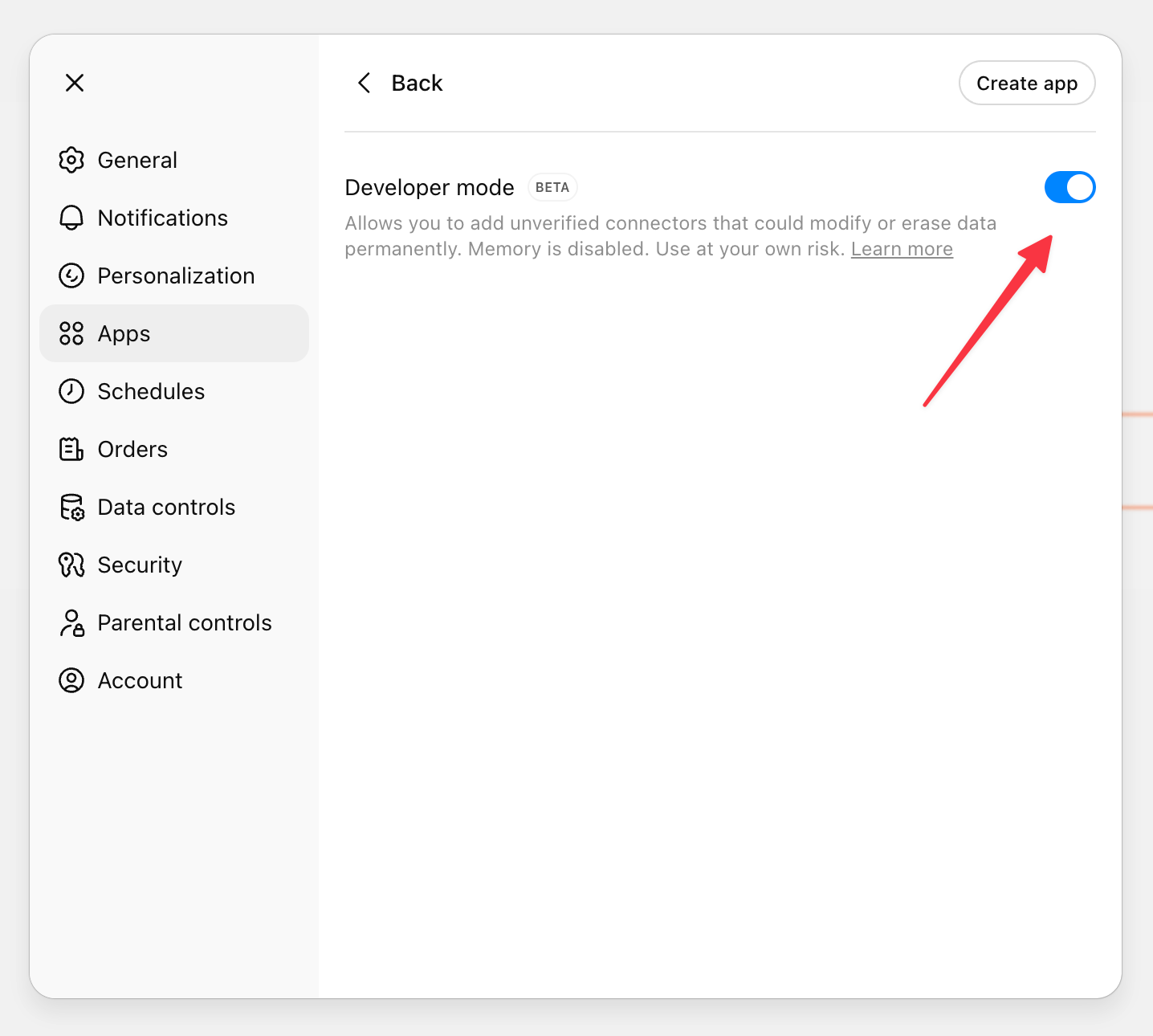
- Enable the "Developer mode".
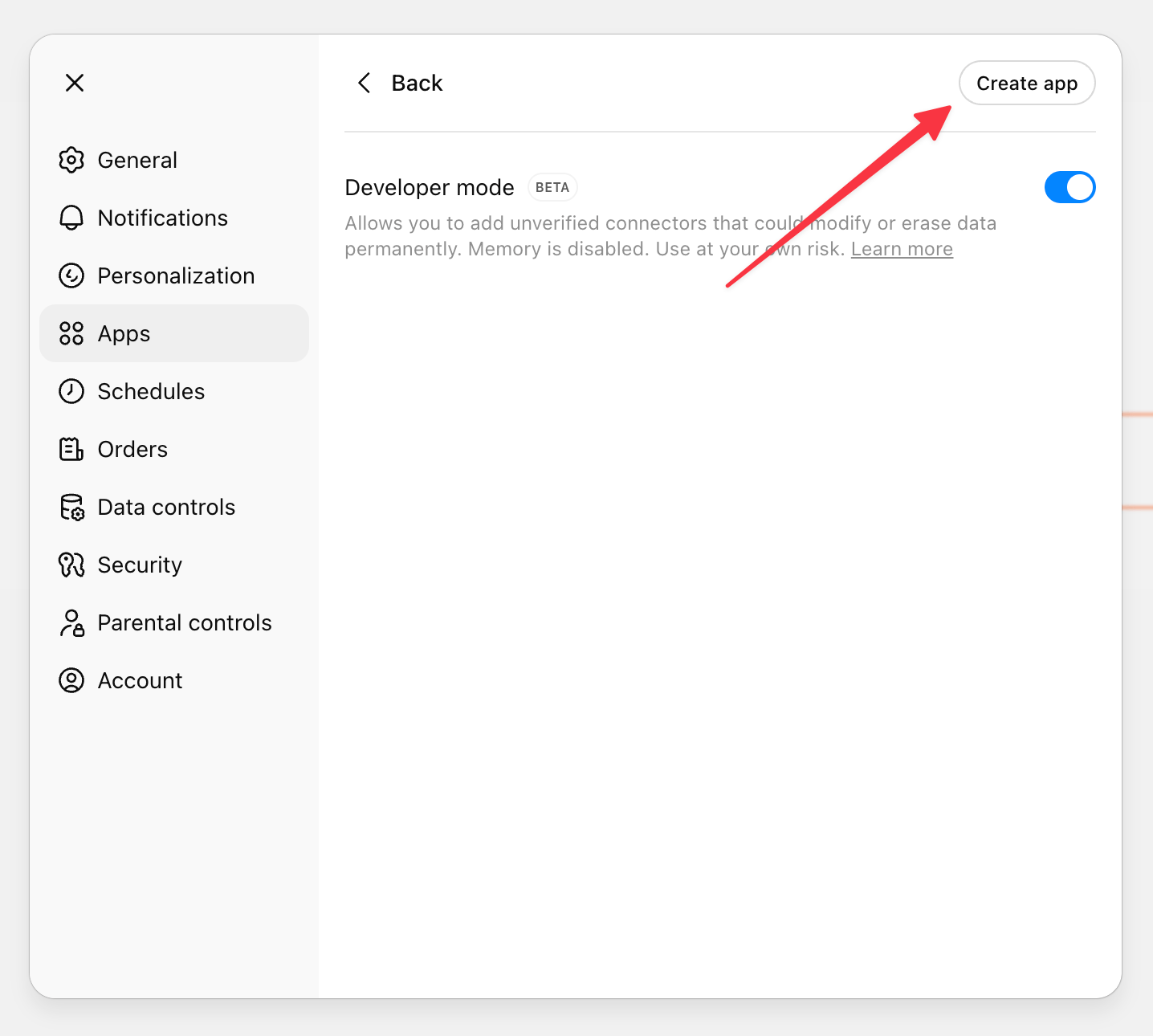
- Click the "Create app" button.
- Fill in the new Connector details:
- MCP Server URL:
https://api.ahrefs.com/mcp/mcp - Authentication: OAuth
- Keep OAuth Client ID and Client Secret blnk
- MCP Server URL:
- Select the option “I trust this application” and click the "Create" button.
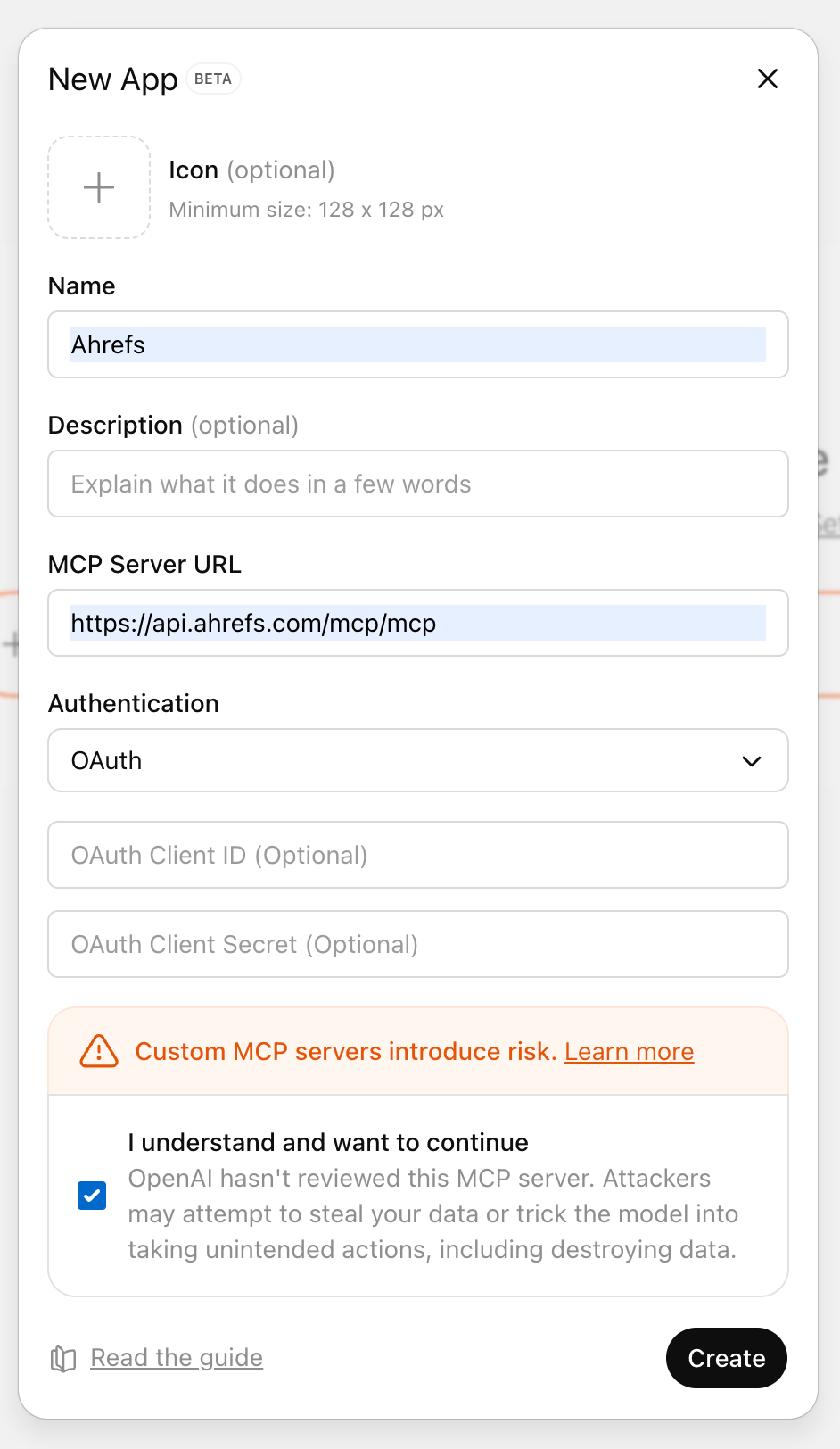
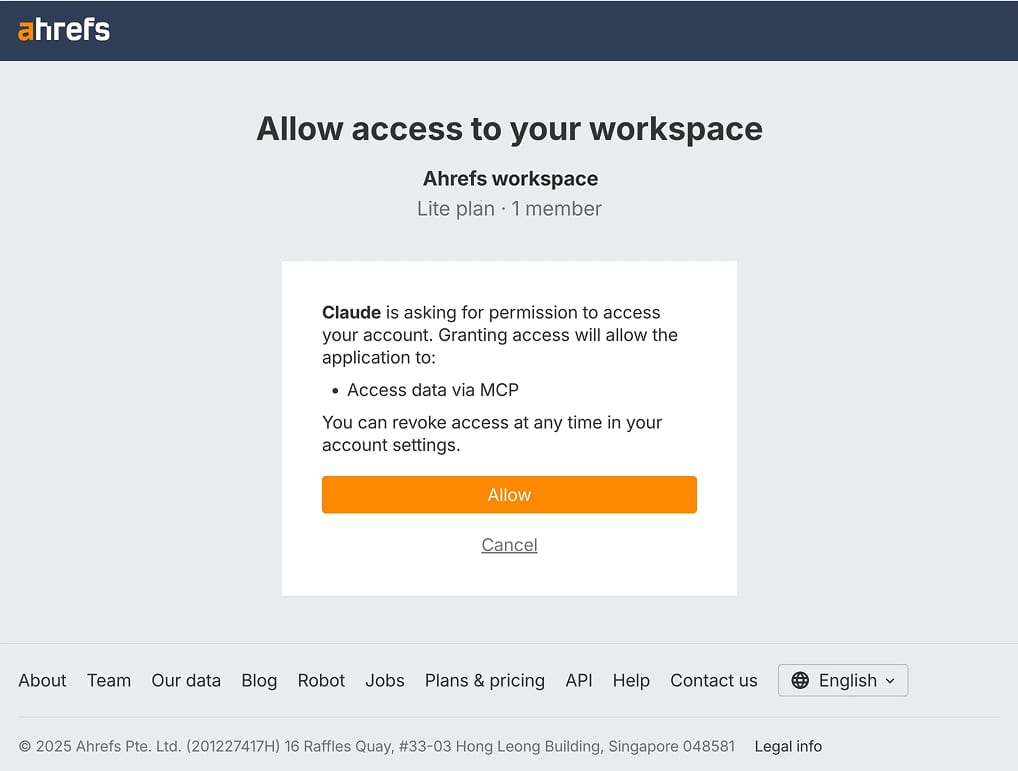
- Select your workspace and allow access to it by clicking "Allow".
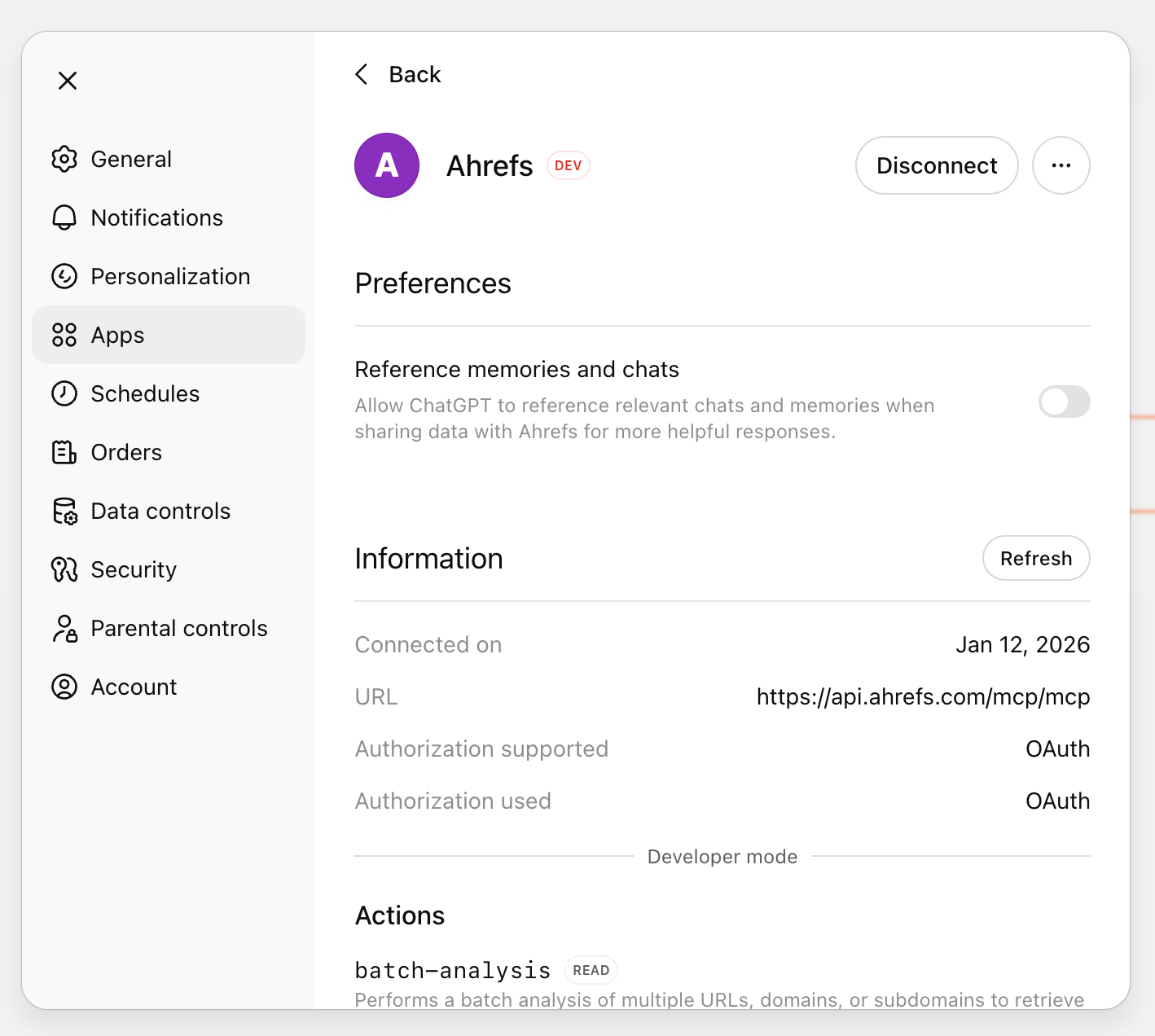
- Check that the app in ChatGPT is successfully connected.
- Activate the Ahrefs connector in the chat before starting the query:
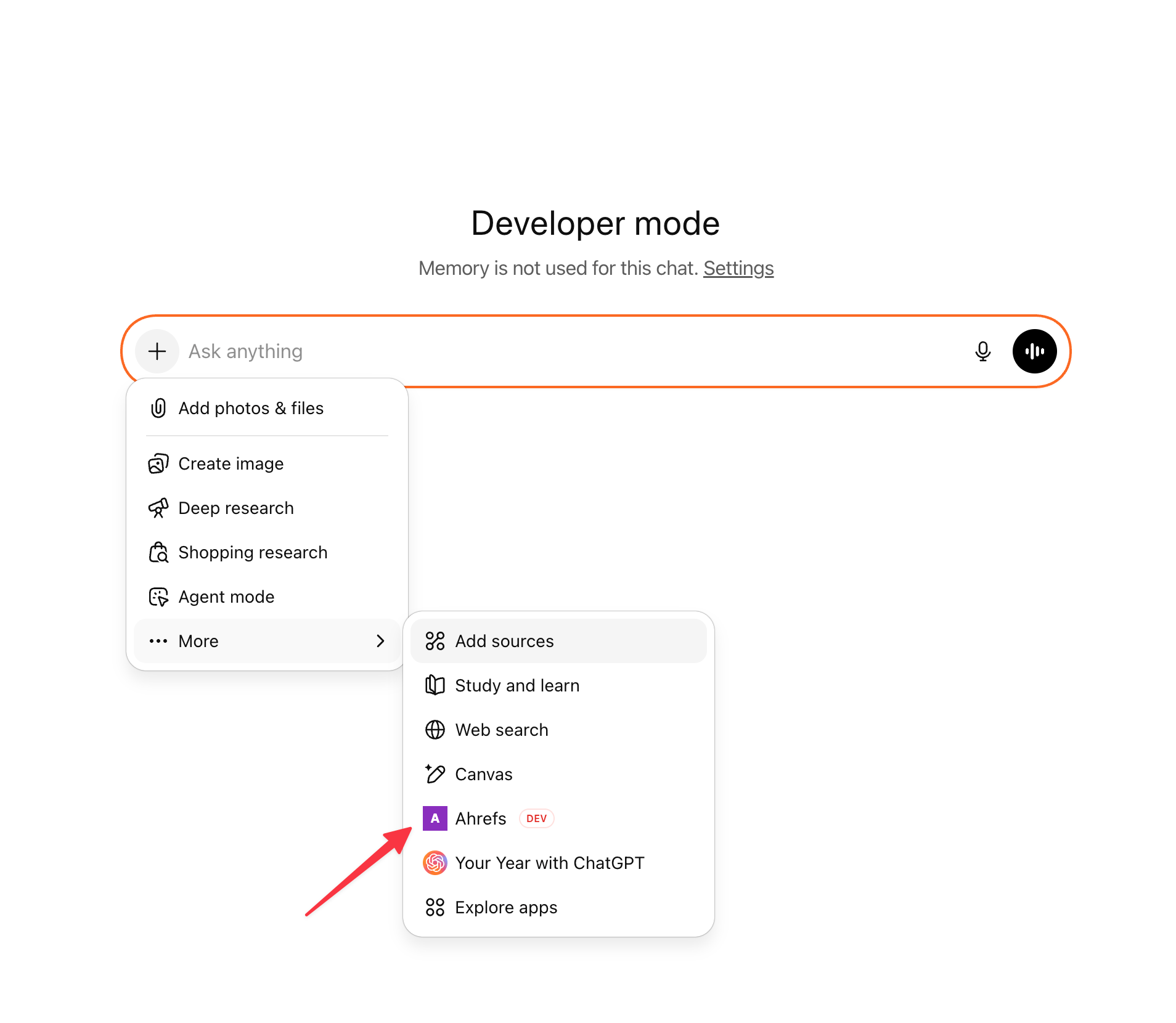
- Click on the "+" sign → "More"
- Enable the connector you created earlier.