Introduction
Data Studio allows users to subscribe to data from various sources and visualize it in the form of reports and dashboards.
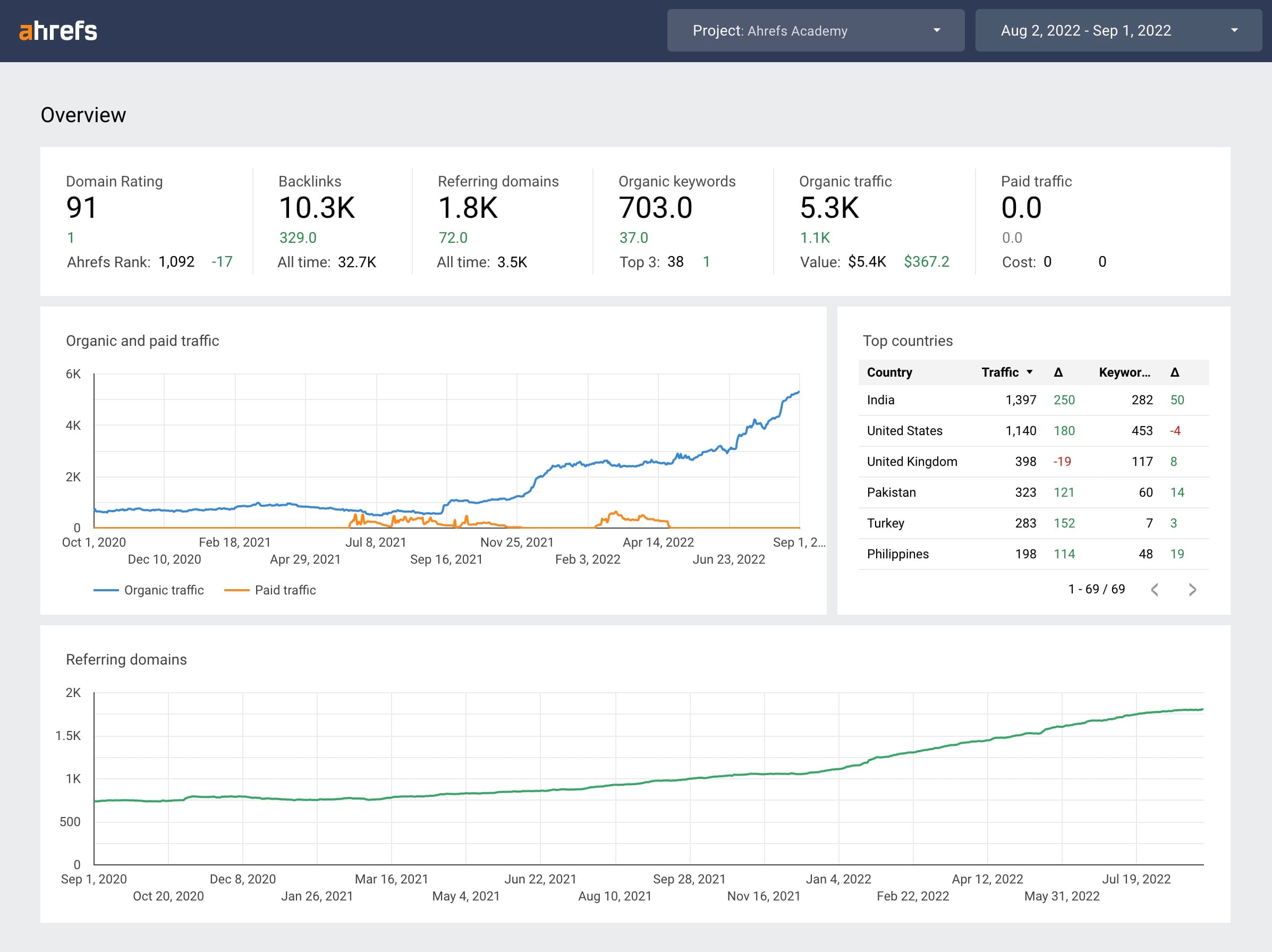
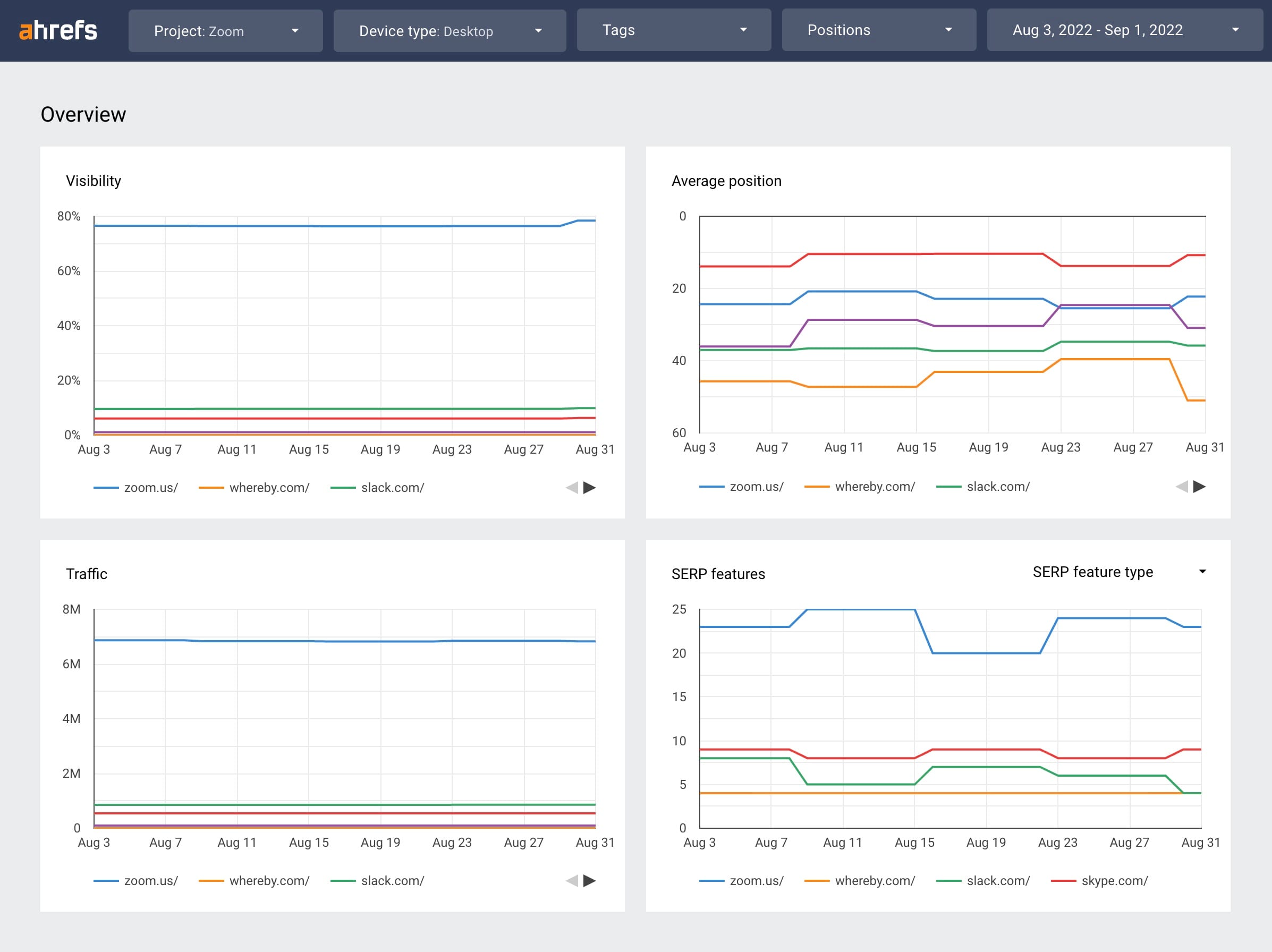
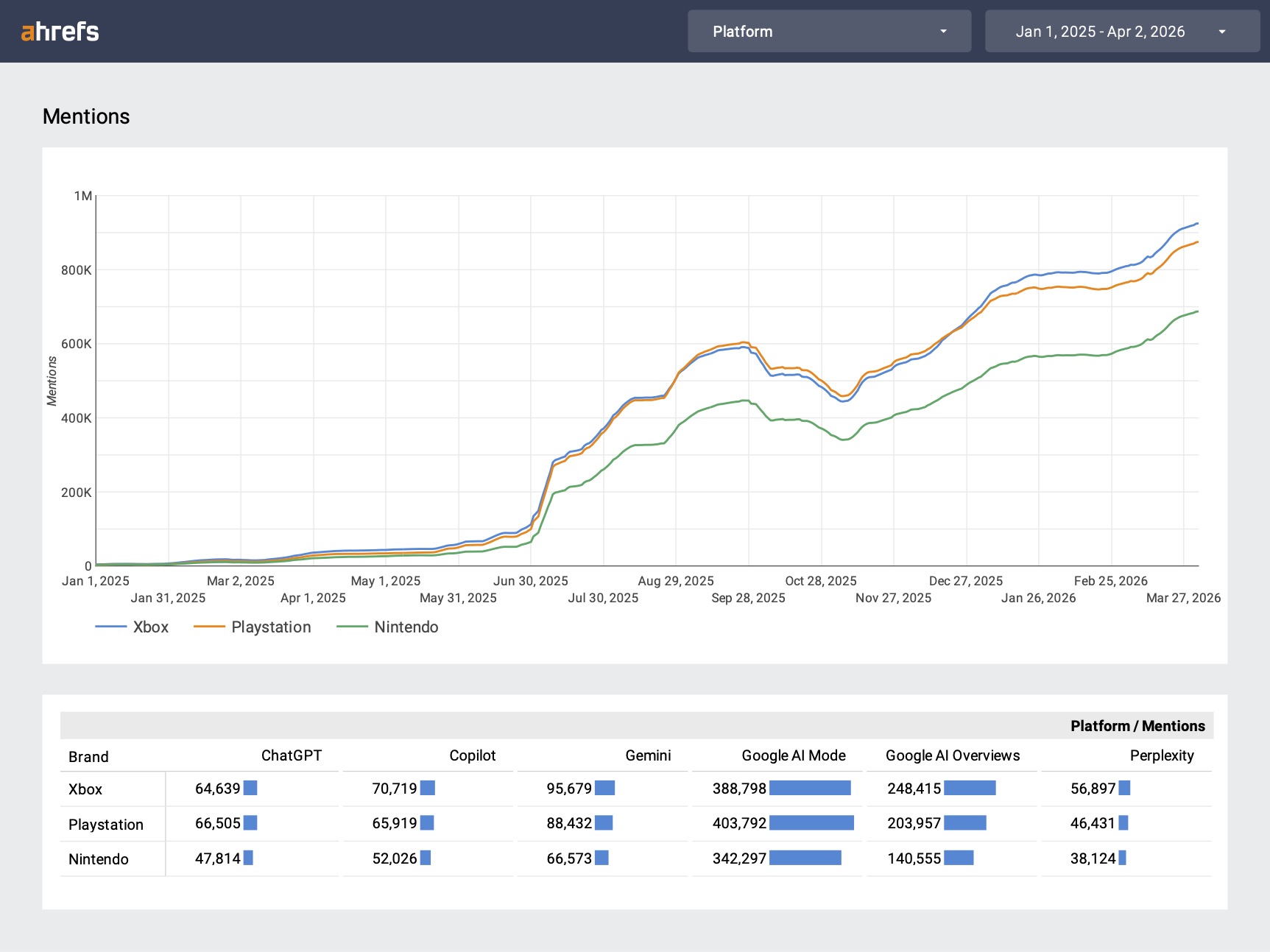
For users on an Advanced plan or higher, Ahrefs provides three Data Studio Community Connectors for accessing Ahrefs data through Data Studio:
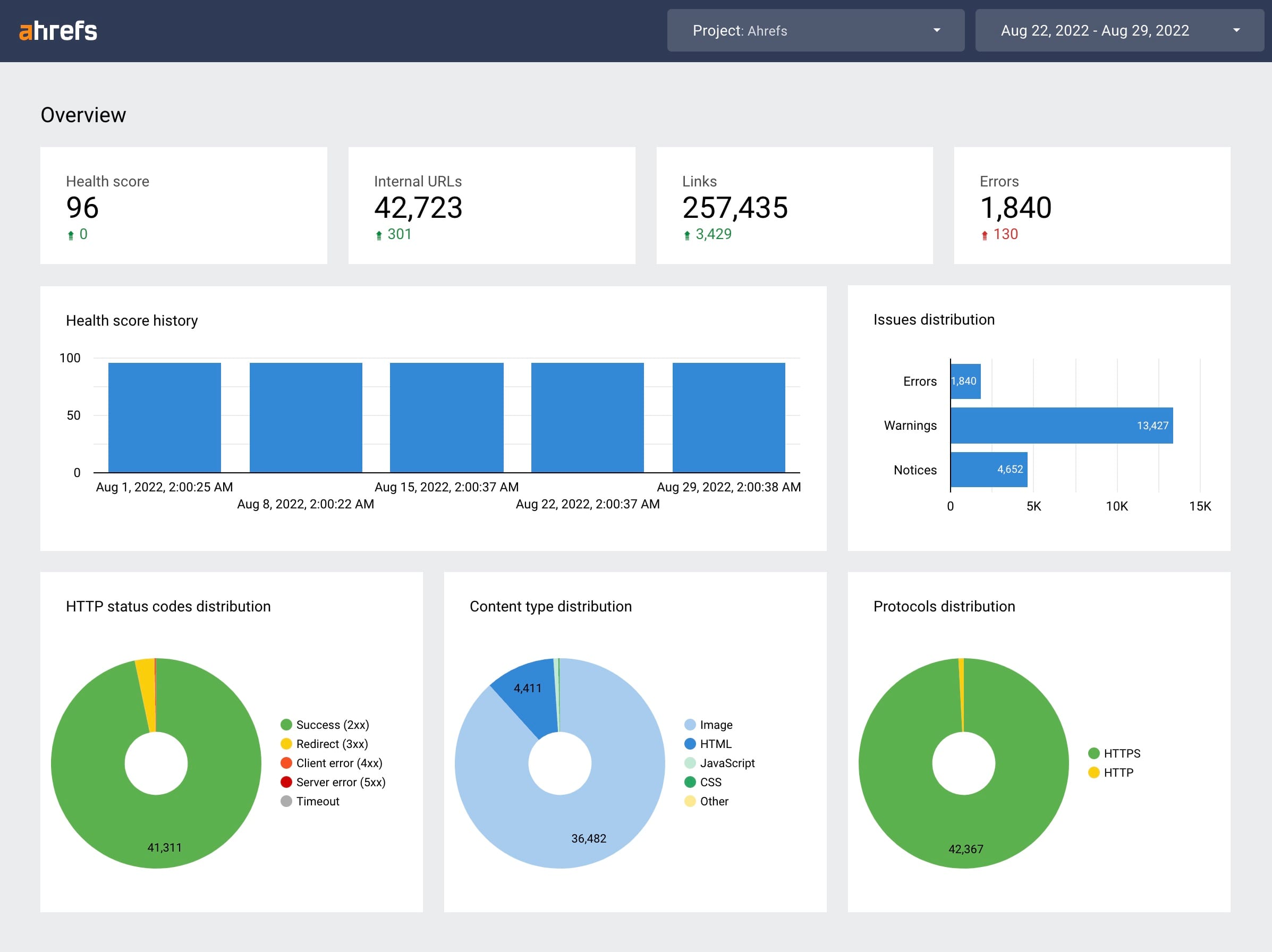
Ahrefs Site Audit lets you analyze your website and schedule automatic audits for its on-page SEO performance. You can add this data to your Data Studio reports using this connector.
Quick Start
Follow the guide to create a data source using one of our Ahrefs connectors. Then, proceed to the rest of the documentation via the sidebar.
FAQ
Which Ahrefs plans can use the connector?
The Ahrefs Data Studio connectors are available for Advanced plans and higher. Browse our plan options to see details and sign up.
What are connectors, data sources, reports, and charts? Which does Ahrefs provide?
- A connector is a utility to fetch data from some platform. Ahrefs provides three connectors to fetch data from Site Audit, Site Explorer, and Rank Tracker. Among the many connectors available on Data Studio, users can search for the Ahrefs connectors, and choose to create a data source from them.
- A data source is an instantiation of a connector. Users can create a data source using an Ahrefs connector by authorizing their Ahrefs account, and configuring user-specific connector parameters (e.g., Site Audit project).
- A report is a dashboard-style interface to visualize data fetched from one or more data sources. Users can create a report using data sources that either they created or are shared with them. Ahrefs provides templates to let users create Data Studio reports quickly.
- A chart is a single visualization of data (time series, bar chart, etc.) embedded in a Data Studio report. A report consists of one or more charts.
info
Data Studio reports are not to be confused with the “reports” consumed by usage of Ahrefs services.
How will using the connector contribute to my Ahrefs account’s plan limits?
Usage of Ahrefs data through our Data Studio connectors will consume the plan limits against the tool that is being used. One exception is the Rank Tracker connector, which contains some data from Ahrefs Keywords Explorer. The relevant plan limits for Keywords Explorer will be consumed when data is retrieved for fields marked as such in the Rank Tracker fields reference.
For more information about plan limits, see Limits consumption.
I encountered an error. What should I do?
For more information about interpreting error messages caused by the Ahrefs connectors, see Errors.
Please note that questions about all other Data Studio errors (e.g., System Error) should be directed to the Data Studio Help Center.